Comparison Summary
Comparison SummaryMercury Bank makes invoicing and managing cashflow easy and enjoyable, while Rho tries to do a lot but only does some things well.
Stick with Mercury Bank unless you need a traditional, check-heavy setup with branch access, as Rho does not offer a clear advantage.
 MercuryBest
Best modern bank for SMB's and startup founders
Best modern bank for SMB's and startup founders RhoRecommended
Built for larger funded businesses
Built for larger funded businesses
At a Glance
At a GlanceComparison Videos
Comparison VideosWhy We Switched to Mercury (After Testing Every Business Bank)
Why We Switched to Mercury (After Testing Every Business Bank) 8:47
8:47Why We Switched to Mercury (After Testing Every Business Bank)
Why We Switched to Mercury (After Testing Every Business Bank) 2:42
2:42Best Business Bank Accounts: Mercury vs Brex vs Novo vs Relay
Best Business Bank Accounts: Mercury vs Brex vs Novo vs RelayEditor's Verdict
Editor's VerdictSafety & Protection
Safety & ProtectionMercury stands out for safety and protection because you get real control over every ACH pull, nothing leaves your account unless you approve it, and suspicious transactions get flagged before they can do any damage. That's a huge deal if you care about blocking unauthorized transfers, since Rho just lets ACH debits go through once someone has your account info, and you're left monitoring and disputing after the fact.
Rho does offer a massive FDIC insurance limit by splitting your funds across hundreds of banks, which is impressive if you need to protect huge balances, but it doesn't give you the same proactive controls to stop money from leaving your account in the first place.
If your top concern is making sure no one can pull money without your say-so, Mercury is the clear pick. Rho is fine for insurance coverage, but Mercury gives you both strong FDIC protection and much tighter security against unauthorized transfers.
Earning Interest
Earning InterestMercury Bank makes it much easier to actually earn interest on your idle cash. The minimum to access their Treasury is $250K, which is lower than Rho's $350K requirement, so it's more accessible for businesses that haven't raised huge amounts yet.
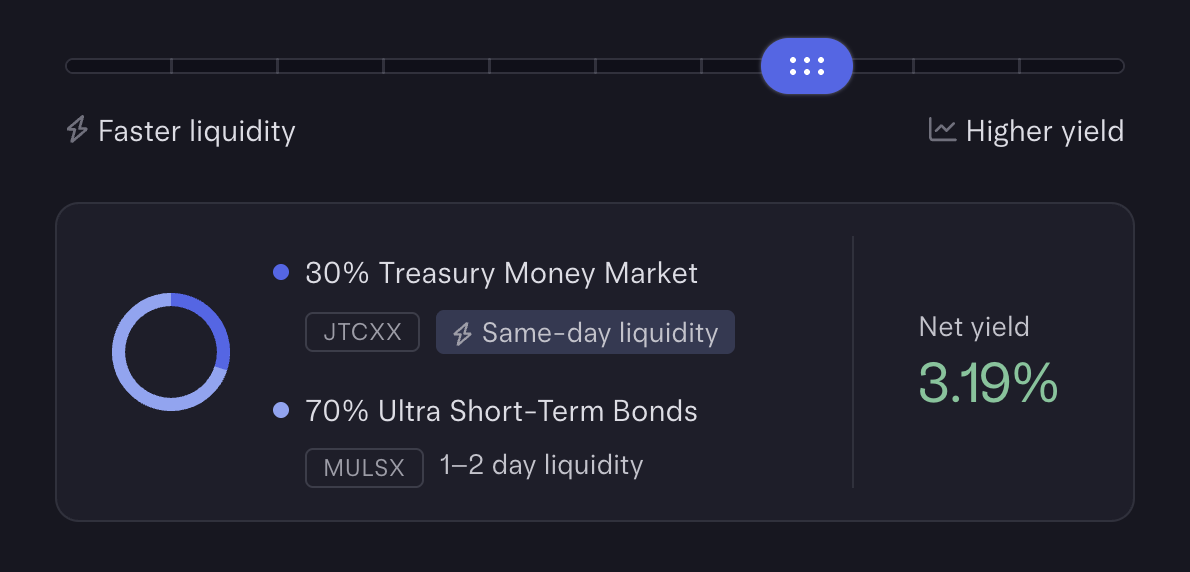
Setting up Mercury's auto-transfer rules is fast and flexible, letting you automate sweeps to Treasury on whatever schedule works for you. The feature is core to the product, so using it feels just like moving money between checking and savings, not like dealing with a separate investment tool. You keep day-to-day liquidity without sacrificing returns, since Mercury gives you a same-day liquid option for part of your cash, and a higher-yield option for the rest with a short transfer window.
Rho does let you automate Treasury transfers too, and you can split funds between a liquid pool and higher-yield options. But the higher minimums make it less friendly for early-stage businesses, and there's nothing in the summary that suggests it matches Mercury's smooth, built-in experience.
If earning interest with minimal hassle and faster access matters to you, Mercury is the clear pick. Rho's setup works, but it's just not as easy or accessible if you're not sitting on a pile of cash.
Money Movement
Money MovementMercury just makes moving money way less painful than Rho, especially if you care about vendor onboarding and the admin side of payments. With Mercury, vendors fill out their own info through a secure form, and the app handles storing details, requesting W-9s, and tracking 1099s, all in one spot. The check process is basically automated, too, you fill out a quick form, attach whatever docs you need, and Mercury prints and mails the check with everything included. The invoicing flow is genuinely enjoyable and lets you accept payments through ACH, wire, or even credit cards and Apple/Google Pay if you hook up Stripe.
Rho does cover the basics well and has solid features for finance teams, batch payments, invoice scanning, and automatic W-9/1099 workflows are all there. It's especially handy if your team deals with lots of contractors and still needs to mail physical checks. But the experience just isn't as smooth or satisfying, and you have to do more manual work compared to Mercury. Creating and sending invoices works, but it doesn't feel nearly as clean or easy.
If you want money movement that feels effortless and actually pleasant, Mercury is the clear pick. Rho is fine if you're already set up for a finance-heavy workflow, but Mercury is the one that actually makes the whole process less of a headache.
Organization & Controls
Organization & ControlsMercury makes organizing and controlling your business funds way easier and more flexible than Rho. The biggest difference is Mercury's auto-transfer rules: you can set percentage-based transfers (like "put 20% of every deposit into taxes, 30% into payroll"), and it's super simple to set up. Rho only lets you schedule fixed-amount transfers, so if you want "Profit First" style banking or to automate complex cash flows, Rho just can't do it, you'd have to move money around manually.
Mercury also lets you open up to 100 checking and 100 savings accounts per business for free, so you can split your money across as many buckets as you want. Rho supports multiple accounts, but doesn't mention anything close to that scale or flexibility.
If you run multiple businesses or want personal and business banking together, Mercury is the only one that lets you toggle all your accounts, including personal, under one login, and even gives your employees free personal accounts. Rho can do multiple business entities, but nothing for personal, so you'd need a separate bank for that.
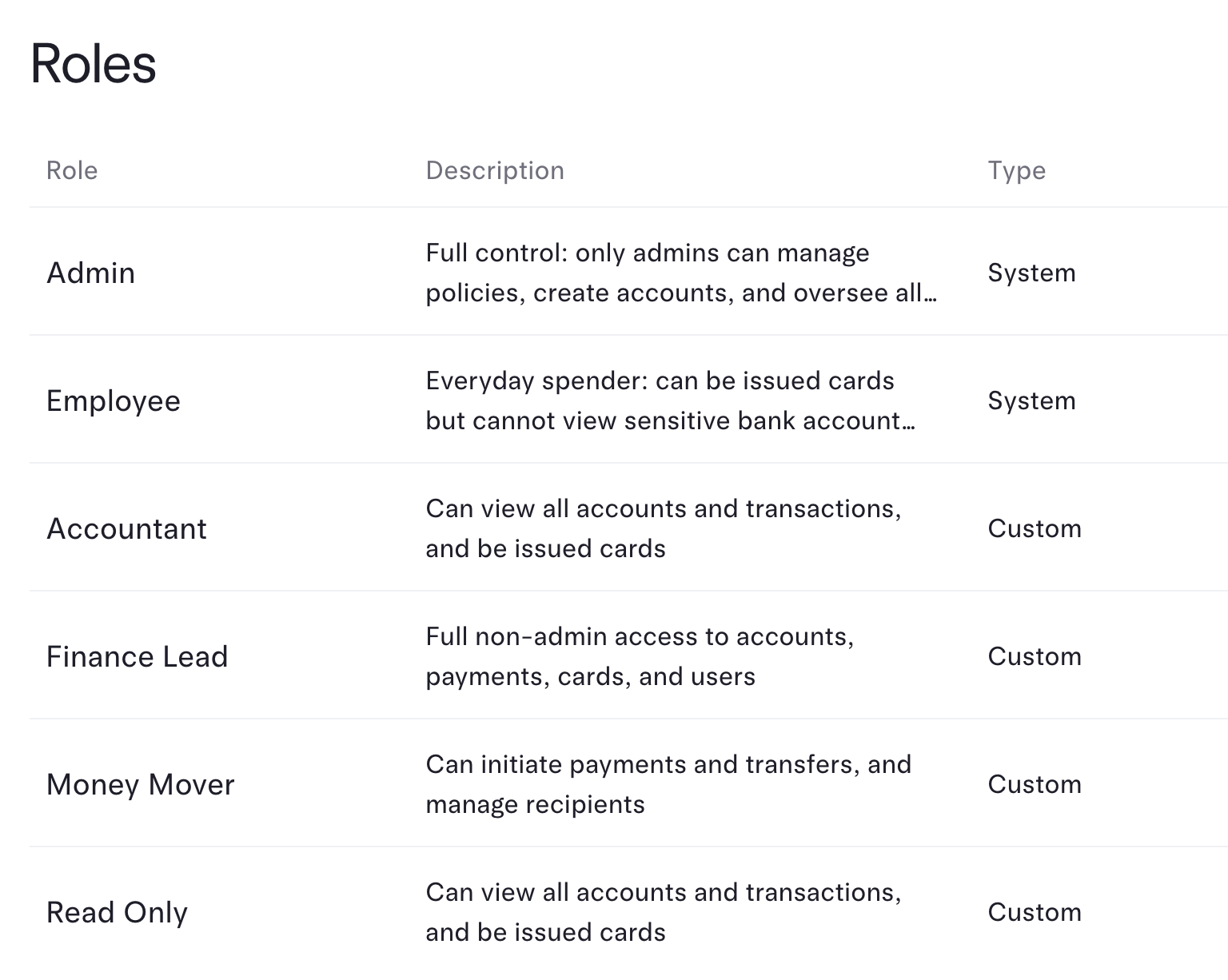
Both apps offer granular user roles and payment approval rules, but Mercury's controls are more deeply integrated into how money moves. You can require dual admin sign-offs or set detailed approval flows for any outgoing payment, not just invoices.
If you care about structuring your funds, automating transfers, and having full control from a single place, Mercury is the clear pick. Rho is fine if you only need basic account separation and approvals, but it falls short on automation and flexibility.
User Experience
User ExperienceMercury Bank's interface stands out as a clear favorite for user experience. Users rave about how modern, smooth, and intuitive it feels, with some even calling it the best they've ever used. The review makes it obvious that once you try Mercury, there's no going back.
Rho holds up fine for finance teams, but it comes across as a lot denser, especially if you're a business owner or founder. That means it's not as easy or pleasant to navigate day to day.
If you want speed, clarity, and just an overall great banking interface, Mercury is the obvious pick. Rho only makes sense if you specifically need something tailored for finance teams and don't mind a heavier feel. For everyone else, go with Mercury.
Screenshots
Screenshots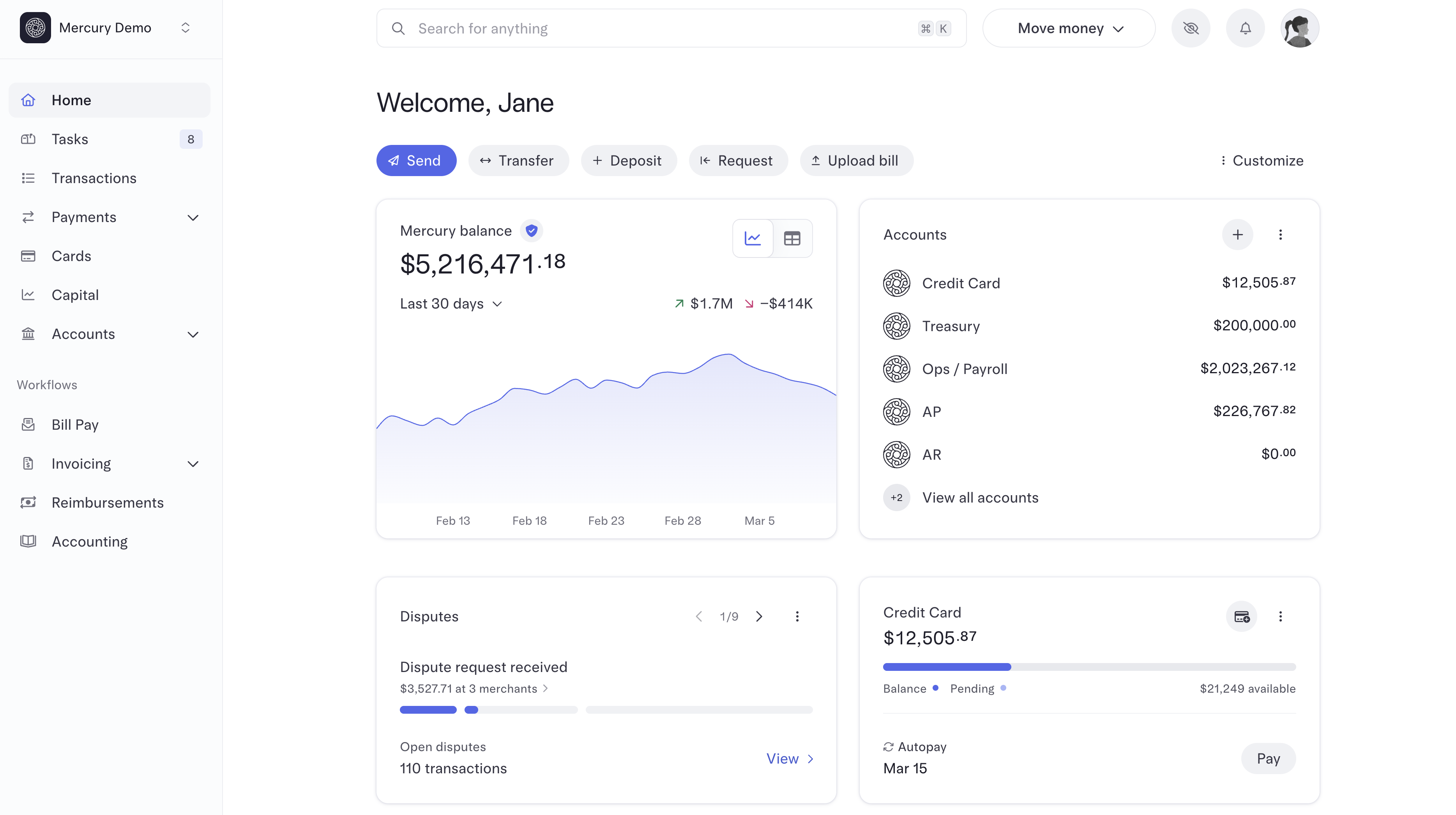

Mercury