Comparison Summary
Comparison SummaryShift acts like a Chrome add-on for account switching and hasn't changed much in years, while Sidekick feels even more outdated and its productivity claims don't hold up now that every browser does the same.
Only use Sidekick if you have no other options, but Shift at least feels less clunky and stuck in the past.
 Shift Browser
For pinning apps in a browser sidebar
For pinning apps in a browser sidebar Sidekick Browser
Acquired and shut down by Perplexity
Acquired and shut down by Perplexity
Comparison Video
Comparison VideoBest Web Browser? Arc vs Chrome vs Safari vs Brave
Best Web Browser? Arc vs Chrome vs Safari vs Brave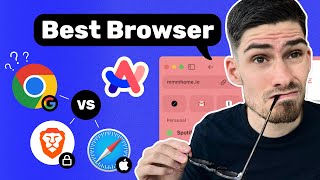 13:23
13:23Best Web Browser? Arc vs Chrome vs Safari vs Brave
Best Web Browser? Arc vs Chrome vs Safari vs BraveTrending Right Now
Trending Right NowEditor's Verdict
Editor's VerdictShift at least still works as a basic account switcher and sidebar pinning tool, even if it feels dated and isn't really pushing anything new. You can get similar features in Chrome with extensions, but Shift does deliver its core pitch if all you want is quick access to your apps and fast account switching in one place.
Sidekick, on the other hand, isn't even an option anymore since it was shut down after being acquired. Even before that, its features had become stale and its user experience lagged behind newer browsers.
If you have to pick between these two for a productivity-focused browser, Shift is the only real choice, but only because Sidekick is dead and Shift at least still provides the basic functionality it promises. Neither is impressive compared to newer browsers, but Shift actually exists and works.