What is Safari?
Safari is Apple's web browser for that comes out-of-the-box for anyone who uses a MacBook or iPhone.
With Safari, you're not going to get anything too cutting-edge or innovative, because they, like Google Chrome are focused on stability for their 1+ billion users.
Key Features
Since Apple is a hardware company at the end of the day, the whole point of Safari is that you're going to get a great cohesive experience if you're using all Apple products (Mac + iPad + iPhone).
The largest benefit to be had here, in our eyes, comes from Apple owning both the hardware and software layers. This allows them to go above and beyond with optimizations like battery life and cross-device syncing.
While they have baked in password management
We don't really see much major innovation or differentiation coming to Safari though. Why? Because this isn't Apple's core business. Not only that, but Apple has zero interest in going after the B2B and collaborative browser space. When comparing Arc Browser vs Safari, you'll see first-hand that Arc has a lot more going on in the features and differentiation space as they ultimately want to be the browser for teams and collaboration.
Tab Management
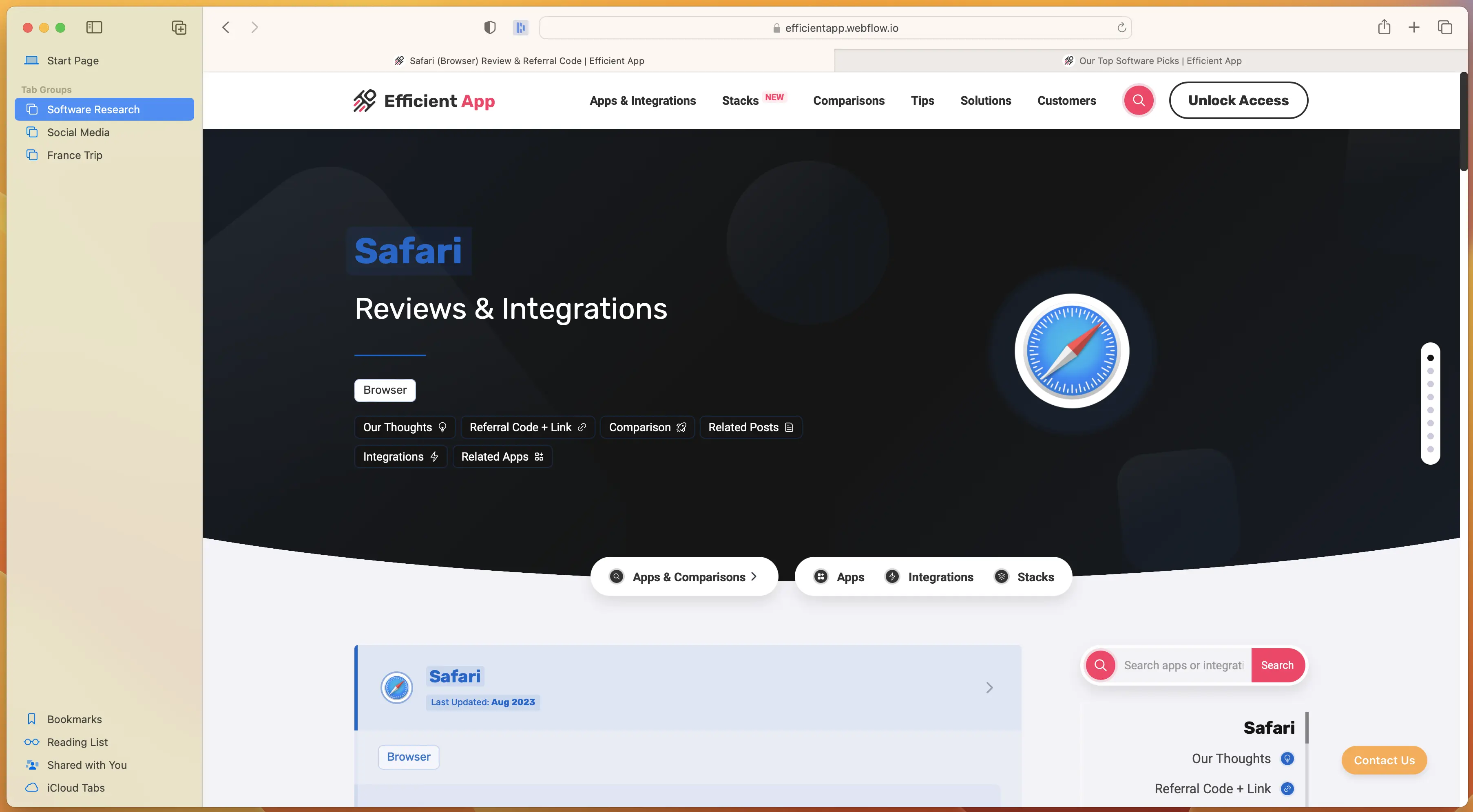
We do applaud Apple for adding tab groups, and allowing for them to be on the side of the browser window. There's some small similarities when comparing Safari or Brave in the recently released sidebar tab management in Brave and Arc Browser.
User Interface
With Safari, you get a familiar and safe UI. It looks like a browser, it looks pretty much the same as it has the past decade, and it's relatively bland in terms of how it looks.
Safari User Interface
There's just not much to mention here, but the truth of the matter is some of this is by design. Their focus is to be stable, functional, and to let the content of the website you're currently on, shine.
User Experience
This is where we can give Apple some props on the user-experience, if of course you're also using other Apple products. Take for example you visit a website on your iPhone, you get a prompt in your MacOS dock that shows a website was just opened on mobile. Want to open it up on your desktop? Simply click the Safari icon in your software dock.
In actually using the browser though, there's nothing in particular that stands out as an exceptional UX. This category in particular is where Arc shines. They have the smallest UX details, that just makes using the browser on the day-to-day so incredibly enjoyable.
Final Verdict
Are you a huge Apple fan? Do you only care about getting the best possible battery performance on your MacBook and nothing else matters to you? Do you absolutely despise change? If so, Safari is probably fine for you.
If you're on the other hand sort of bored when looking at the existing browser market and wish you could get a bit more enjoyment and productivity out of your browser, then that's where you should definitely be giving Arc a shot.
Genuinely, give Arc a shot for a week straight as your daily driver, and I'm willing to bet you that you never come back to Safari again.
Arc Browser is genuinely what Apple could have made, had they re-thought the browser from the ground up, without all the baggage that currently exists with Safari. And for that reason, that's why we rank Arc at the top of our best browsers list. Genuinely wouldn't be surprised if Apple one day acquired Arc and replaced it with Safari as the default browser for MacOS.
 SafariRecommended
 Sidekick Browser
 13:23
13:23