


Select
FTC
Efficient App laurels

3 Best Knowledge Base Software in 2026

Updated Mar 11, 2026

See how our top 3 picks compare across the 3 knowledge base software we evaluated.

Explore what each does best, where it falls short, and why it earned a spot on our 2026 list.

Alex Bass Headshot
Alex Bass
Andra Vomir Headshot
Andra Vomir

    Best Knowledge Base Software at a Glance

    3 apps and 2 deals
  1. Slite
    Slite

    Best knowledge base

    Best knowledge base
  2. Notion
    Notion

    Good knowledge base, but skip for everything else

    Good knowledge base, but skip for everything else
  3. Motion
    Motion

    Teams looking for a tool to manage their projects + documentation

    Teams looking for a tool to manage their projects + documentation
    Notable Mentions
  1. Superlist
    Superlist
    Todo List

    Best design-focused task and list app

    Best design-focused task and list app
  2. Coda
    Coda
    All-In-One Workspace

    Best for lightweight no-code tools

    Best for lightweight no-code tools

Knowledge Base Software Overview

Best Knowledge Base Software Ranked & Reviewed

Watch our full breakdown of the top knowledge base software, how they performed in testing, and what makes each one worth considering

Recorded by our expert reviewers
Alex
and
Andra
Independent, hands-on testing.Learn more

How We Evaluate Knowledge Base Software

We score each knowledge base software across speed & productivity, purposeful design, AI search, user experience, team collaboration, and hands-on expert evaluation

  • Speed & Productivity
    If you knowledge base is slow to load, no one will use it.
  • Purposeful Design
    Designed to be the best knowledge base, without bloated features that try to "do everything."
  • AI Search
    Integrated AI that lets you find anything quickly.
  • User Experience
    Clean, distraction free writing experience. Minimal cognitive load when reading or writing.
  • Team Collaboration
    Clear comments, threaded discussions, and easy document sharing.
  • Expert Evaluation
    Curated by
    Alex
    and
    Andra
    , our rankings reflect in-depth testing, industry insights, and hands-on experience.
1
Slite

Slite

Best knowledge base

Best knowledge base

Slite is a team knowledge base that keeps documentation and discussions clear, easy to use, and visually consistent, letting your team quickly find information, reference decisions, and collaborate without distractions. If your team wants a simple, clean, and reliable space for shared documentation and asynchronous decision making instead of the clutter and complexity of all-in-one tools like Notion or Coda, Slite is the best choice.

Skip it only if you need deep custom integrations, but for most teams that just want to get in, get work done, and get out, nothing else matches its clarity and focus.

Slite
Go to Slite site

What is Slite?

What is Slite?

You're probably just learning about Slite after having heard of the all-in-one tools like Notion and Coda (amongst the many other team "knowledge base" apps on the market), and wondering which is right for you.

If you're truly looking for the knowledge base "category defining" app—there's no one better than Slite. They are actually moving this category forward in what it traditionally has meant to be a shared team knowledge base/documentation tool.

What we actually love most about Slite is their simplicity and focus. They have the cleanest UI/UX of all the tools we've tried in the space. And while you can still modify the design, your team will never get lost in the formatting, nor can you actually make a document look bad in Slite (unlike competitors).

I mean it's what we ultimately chose for our internal team knowledge base after using all of the competitors on the market for years.

What ultimately made the decision for us? Well, we had Slite set up alongside Notion and Coda, and we just naturally gravitated toward Slite, whether it was building out a collaborative work environment for our customers, or just internal blog posts and documentation.

We just found that we could get in, get work done, and get out. Whereas accessing internal documentation in Coda was super kludgy as you're jumping between documents, almost like using Google Docs as a knowledge base, which made things quite disjointed.

Slite just got out of the way while enabling us to get our work done in an enjoyable way. So if you're feeling overwhelmed in Notion, maybe the answer for your team is actually opinionation and simplicity? 🤷
Key Features

Key Features

AI

AI

Slite actually had one of the first true examples of how AI will evolve a category for the better. While Notion went the direction of "now you can generate content using AI!", Slite was more of the mindset of "hold on, the actual problem is that we, as a shared team, already have so much information. Some outdated and requires updating, some entirely outdated and should be ignored. What if we could help you sort through all of this information to help your team find the actual answers they are looking for?

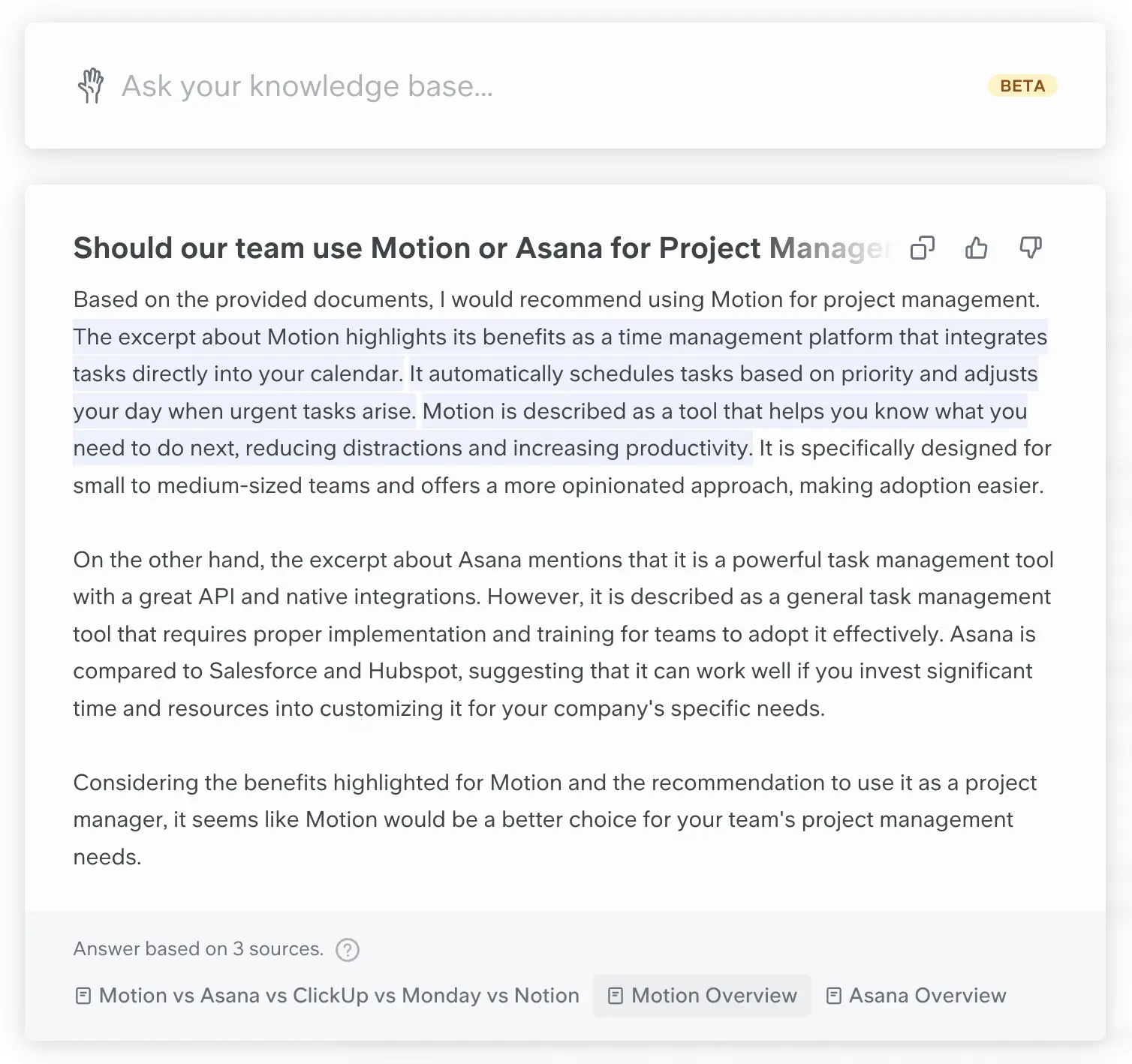
Here's an example of the Ask by Slite product in action, notice how it writes an answer based on the various sources of information in the knowledge base while showing which part has come from each document?

Embedded Image

An example of the AI functionality within Ask by Slite

No API

No API

The only downside currently is that Slite does not have an developer API (so you can't build custom integrations with it)—and while we'd love to have these capabilities to integrate Slite a bit deeper into our other tools, we haven't found that to be too large an issue for the way we recommend teams use Slite.

Subscribe for updates

Get the latest rankings and insights on top Knowledge Base apps—delivered to your inbox. Stay ahead with our expert picks and updates.

2
Notion

Notion

Good knowledge base, but skip for everything else

Good knowledge base, but skip for everything else

Notion is a shared team knowledge-base software that has extended itself to appear as an all-in-one suite. The difficulty is it works well for team docs, but struggles in all the other areas.

Most teams struggle when using Notion for everything in their business.

Notion
Go to Notion site

What is Notion?

What is Notion?

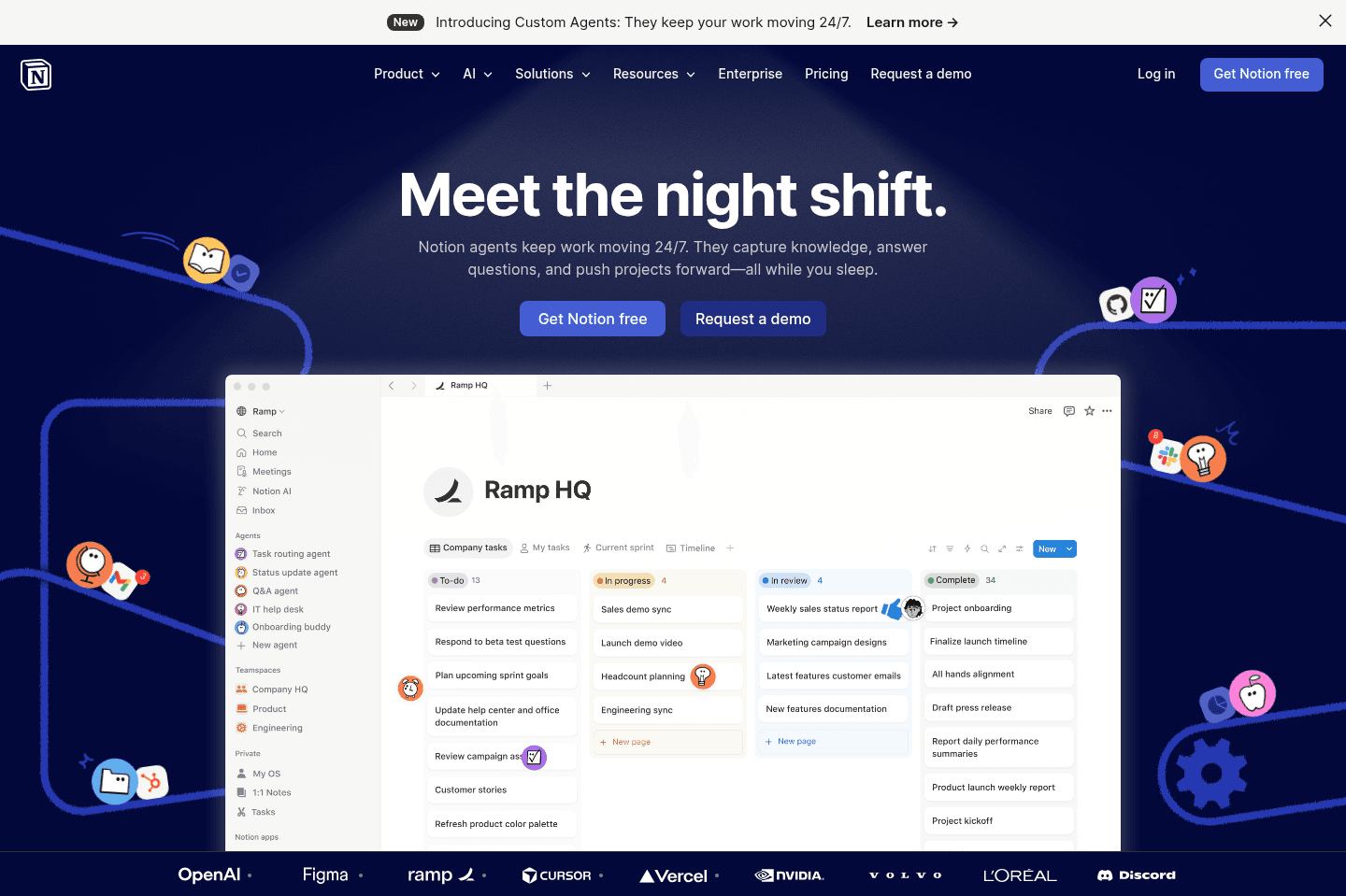
Notion positions itself as an "all-in-one" workspace tool, but that doesn't mean it's ideal for "everything."

At its core, Notion is a knowledge base or wiki, designed for documenting company processes and notes. Over time, Notion has expanded its capabilities, allowing users to link notes, create databases with formulas, and more.

Pros and Cons

Pros and Cons

Pros

Pros
  • Good for knowledge bases and documentation.
  • Strong ecosystem of templates, integrations, and third-party tools built around Notion.
  • Good API and database structure, which makes it appealing for more technical teams.
  • Free tier makes it easy to experiment and test ideas.

Cons

Cons
  • Steep learning curve. Most teams underestimate how much setup is required.
  • Requires building systems from scratch, which takes significant time and ongoing maintenance.
  • Poor team adoption in many cases because the structure only makes sense to the person who built it.
  • Easy to turn into a productivity distraction, where teams spend more time designing workflows than doing work.

Key Features

Key Features

All-in-One

All-in-One

Notion's versatility allows you to customize it into almost anything you need. This flexibility has led teams to use Notion as a CRM, project management tool, task manager, knowledge base, and more.

However, just because Notion can be adapted for various purposes doesn't always mean it should be. We often receive feedback from teams who've tried using "Notion for everything", only to find it becoming overwhelming and messy.

Embedded Image

We regularly get emails like this.

If you want to use Notion, use it as a knowledge base/company wiki.  For specific business functions like project and task management or CRM, it's usually better to opt for dedicated tools built for the job. You can find what we've listed as the best project management software and best CRM software instead.

Notion Mail & Calendar

Notion Mail & Calendar

Notion is expanding into these core parts of your workflow, but the reality is they didn’t actually build either of these products from scratch. Notion Calendar comes from Cron, and Notion Mail an email client originally called Skiff, so instead of being deeply integrated into one system, they are more so separate tools with light Notion integrations.

On the other hand, Notion Calendar is our top pick for the best calendar apps category since they've maintained a lot of the integrity from Cron, which was a calendar we loved (just don't use it as a daily planner app).

Pricing

Pricing
  • Free: $0 per user per month. Best for individuals organizing personal projects and life.
  • Plus: $10/mo per user ($96/yr with annual billing). Best for small teams and professionals who want unlimited blocks, file uploads, and collaboration features.
  • Business: $20/mo per user ($192/yr with annual billing). Best for growing teams that need advanced collaboration, permissions, and AI-powered workspace tools.
  • Enterprise: Custom pricing. Includes advanced security, compliance, admin controls, and dedicated support for large organizations.
Superhuman Mail
Superhuman Mail
Featured

Get through your inbox 2x as fast (for teams of all sizes).

3
Motion

Motion

Teams looking for a tool to manage their projects + documentation

Teams looking for a tool to manage their projects + documentation

Motion is the most innovative AI-powered project management tool for individuals and teams who want to fully embrace AI to get work done.

It uses AI to take all of your team's projects, tasks, priorities, deadlines, and dependencies to build the perfect day for you and your team, time blocking tasks right on your calendar. They also have AI Docs, & an AI Note Taker, helping you get work done faster.

We've been using it for 5 years and is core to how we manage our time and projects!

Motion
Go to Motion site

What is Motion?

What is Motion?

Motion is primarily a project management tool, but you can also use it as your knowledge base via their AI Docs feature. It allows you to create and store documentation directly inside Motion alongside tasks, projects, and meeting notes.

If you're familiar with Notion, it's similar to how the tool organizes pages for processes, procedures, and internal documentation. That said, Motion’s AI Docs are far more barebones than Notion. Don’t expect advanced databases or complex workflows. They are best suited for simple note-taking and documentation.

The main benefit of using Motion for both project management + documentation is that everything lives in one place, so Motion understands your business better and can surface the right information quickly through its AI chat when you need it.

You can ask questions like: “What is the current progress on this project?” or “Draft a client-ready progress report using our template,” and Motion will action it accurately because it has all the information and context (vs. using multiple tools).

However, teams that rely on contractor collaboration may run into some limitations since guest access isn't currently supported.

Pros and Cons

Pros and Cons

Pros

Pros
  • Context-aware AI, if you already use Motion for everything
  • AI chat can search calls and documents for summaries, decisions, and key takeaways

Cons

Cons
  • Limited formatting and customization compared to stand alone knowledge base tools
  • Cannot add guest collaborators without purchasing a paid seat
  • While the AI itself is not as valuable as, say, ChatGPT, it has been a major help to us when we need to recall and contextualize information quickly and reliably

Key Features

Key Features

AI Docs

AI Docs

AI Docs lets you and your team create, store, and organize documents directly inside the broader project management system. We use AI docs for documenting processes, writing scripts, and drafts of our blog posts.

Integrated Workspace

Integrated Workspace

Because AI Docs lives inside Motion, your documentation sits alongside projects, tasks, and meeting notes, so you don't have to hunt down documents anymore, because they're being kept within one centralized system. You can even create tasks right from your documents that get automatically assigned and scheduled on your team members calendar!

Pricing

Pricing

Motions prices range from $19 to $34 per month (Individual to Team plans), and their AI Docs are included within that broader system.

But as a reminder, external collaboration requires a paid seat for each user so this isn't an ideal tool if you work with a lot of contractors.

Our Final Verdict

1
Slite

Slite

Best knowledge base

Best knowledge base
2
Notion

Notion

Good knowledge base, but skip for everything else

Good knowledge base, but skip for everything else

Why Most Knowledge Bases Fail

Why Most Knowledge Bases Fail

The team knowledge base/documentation category is an interesting one. Particularly because it seems that time-and-time again, the most successful apps in this space (e.g. NotionCoda) have a hard time... Well, staying settled in this specific category.

This is also what makes it so interesting for an incumbent to come in and take it over by, well... simply focusing on shared team knowledge management 😅 like that of Slite.

While it's easy to say: great—we created a nice note taking/documentation tool, now what's next to increase our TAM (Total Addressable Market)? Well, project management is a $100bn+ TAM, and projects involve notes and tasks, so let's build a task component to our documentation tool—aaaand Notion was born. Which then naturally evolves into an all-in-one tool, for which you can read our thoughts on that category as a whole.

That said, what if a team focused specifically on being a better shared knowledge base? Helping your team actually find what they're looking for across the shared company brain, helping your team make collaborative decisions, and just laser-focused on just doing all of that... Better.

That's the lens you should read the comparisons below with—which is the best tool at actually improving your team collaboration and knowledge management?

Why Slite Wins As A Focused Knowledge Base

Why Slite Wins As A Focused Knowledge Base

Something you might have noticed by now is that we are quite bullish on using the best tool for the job, and where it falls short, finding the best tool for that specific category and integrating the two when absolutely critical.

So in looking at that methodology with the Knowledge Base lens, we're seeing Slite as leading the charge in actually moving this category forward—helping your team find information and make better collaborative decisions.

You can be assured that if you sign up with Slite, your team will know exactly what it's used for, the purpose is behind it, and the features that come with it will be around improving the team knowledge experience.

If you go with a tempting solution like Notion, give it a few months, and someone on your team will think it's a good idea to turn Notion into a CRM. And then a project management tool. And then your team will end up getting completely overwhelmed trying to make sense of it all.

Without some focused opinionation and purposeful feature restriction (like Slite has), your team will attempt to turn into an app builder and product manager, crafting a unique tool for your business. We're here to tell you that your operations person is not a product manager.

Discover More Efficient Apps Lists

Explore the best apps across different categories and find the perfect tools to stay productive.

Superhuman Mail
Missive
Notion Mail
Spark
Gmail
Tatem
Hey
Outlook
Skiff
Email

9 apps and 0 deals

Motion
Linear
Asana
Monday
ClickUp
Wrike
Trello
Jira
Shortcut
Project Management

9 apps and 0 deals

Related app comparisons
Coda
Notion
Coda vs NotionKnowledge Base
Browse Categories