Comparison Summary
Comparison SummaryDia Browser gives you all the best features from Arc like its sidebar and tab management, plus a built in AI chatbot, while Edge just wraps ChatGPT in some extra menus.
Only use Edge if you have no other choice because Dia Browser is simply stronger for AI and daily browsing.
 Dia BrowserRecommended
Best for AI power users living in the browser
Best for AI power users living in the browser Edge
EdgeFor Windows users already deep in the Microsoft ecosystem
For Windows users already deep in the Microsoft ecosystem
At a Glance
At a Glance- Embedded AIDraw
- User ExperienceBest
- Tab ManagementBest
- Performance EfficiencyBest
- Data ProtectionDraw
Trending Right Now
Trending Right NowEditor's Verdict
Editor's VerdictDia Browser absolutely outclasses Edge when it comes to AI integration. Dia builds its entire experience around a deeply integrated, modern AI chatbot that actually interacts with your browsing, offers refined features like its signature sidebar, and includes unique tools like Skills for running context-aware prompts on any page. The AI isn't just bolted on, it's core to how Dia works.
Edge, on the other hand, just slaps a Copilot sidebar on top, which is basically a ChatGPT wrapper with some pre-set functions. There's no real sense of the browser adapting to you or the web pages you're on. The AI feels tacked on, not baked in, and the rest of the browser still shows its age.
If what you care about is having a browser that genuinely weaves AI into every part of your workflow, Dia is the clear choice. Edge only really makes sense if you're locked into Microsoft 365 and want everything Microsoft, but for anyone who wants a modern, AI-first browsing experience, Dia is miles ahead.
Screenshots
Screenshots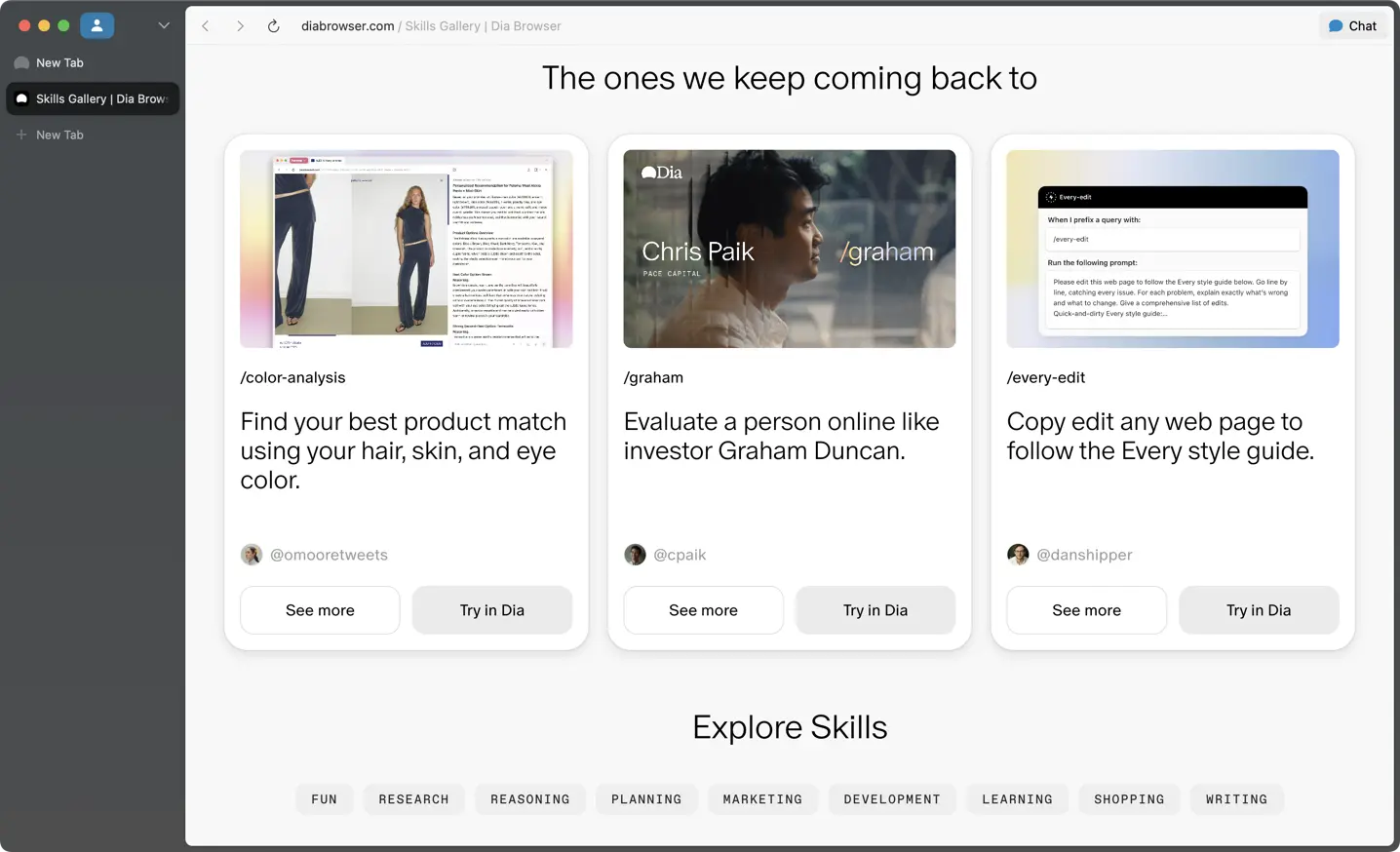
Dia Browser
Dia Skills