Review Summary
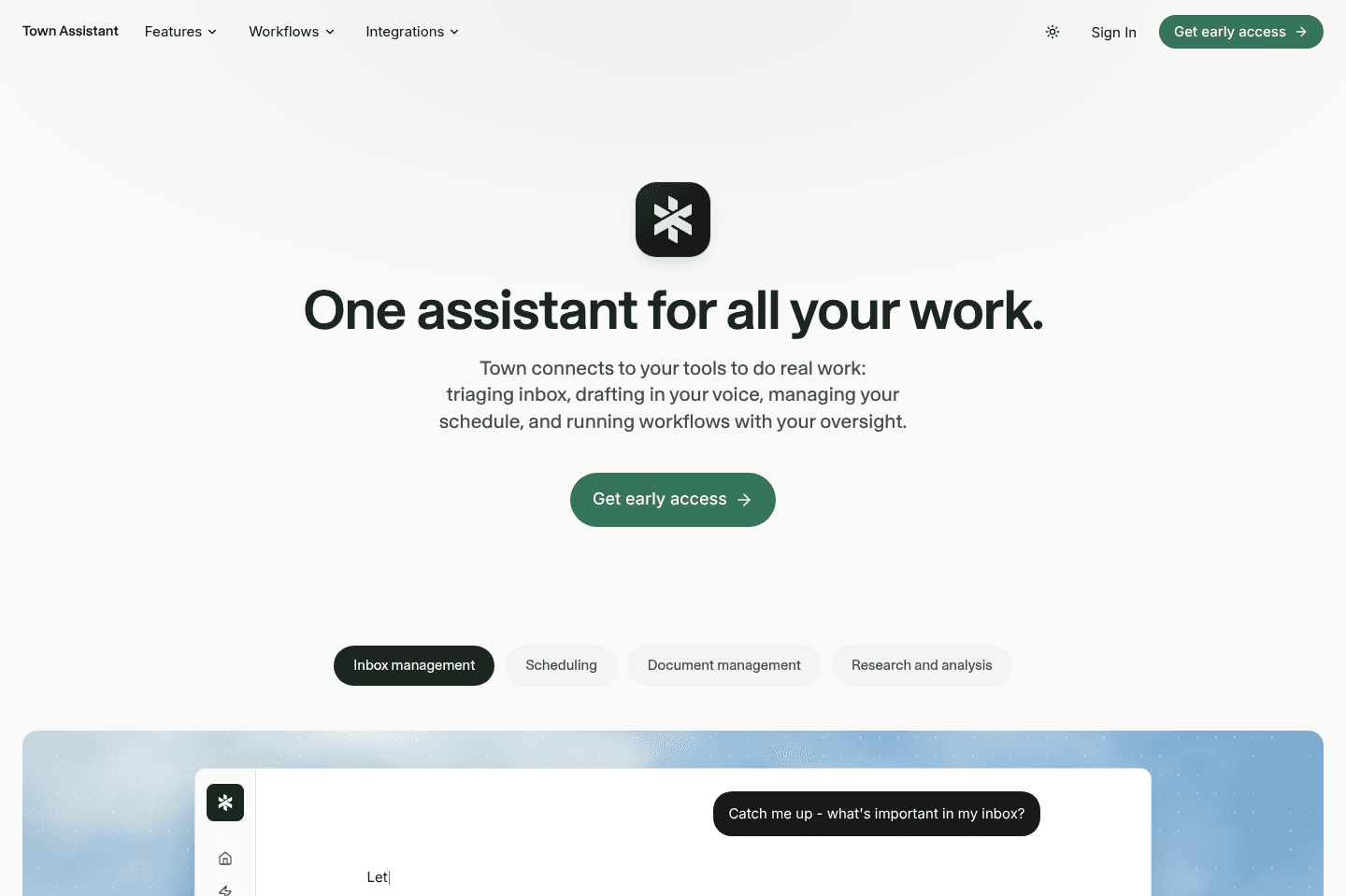
Review SummaryTown is one of the best AI work assistants you can get right now. Your Townie will handle your email, scheduling, and help move work forward with your team.
What is Town?
What is Town?Town is an AI work assistant built around one "Townie" that learns your work and helps carry out tasks.
If you've ever thought, "I wish I could clone myself", this is the closet I've ever gotten with AI. The idea is that your Townie can answer emails, messages, and do work for you. The work that you'd really rather not do in the first place.
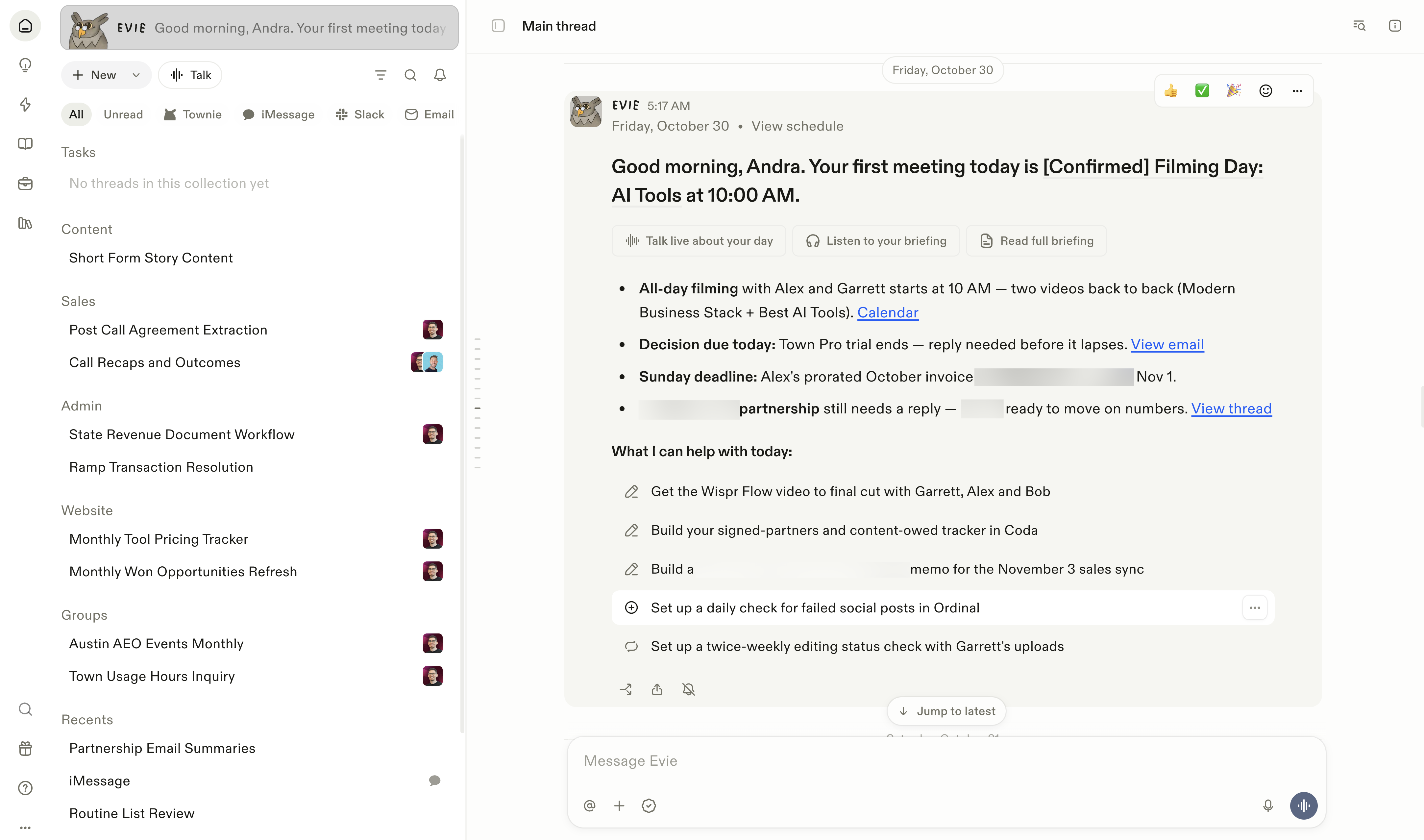
When you create an account, you'll get to name your Townie (mine's name is Evie 🦉). By the time you're finishing onboarding, your Townie will start suggesting work it can take off your plate.
What's most impressive is that there is NO prompting or explaining who you are and about your business (we're all fatigued explaining ourselves to AI tools by now, right?). Once I connected in my tools (email, calendar, Slack), Town immediately knew who I was, my business, and interests, setting up the entire account to be relevant for me.
From there, the more you work with your Townie, the more it learns to think and work like you.
So unlike using ChatGPT or Claude, where every conversation is a fresh session, your Townie gets to know you and your preferences so you can always pick up work where you left off, whether it's on Slack, the web app, and even text messages.
Now the best part is that your Townie doesn't just work with you, it works with your team members too.
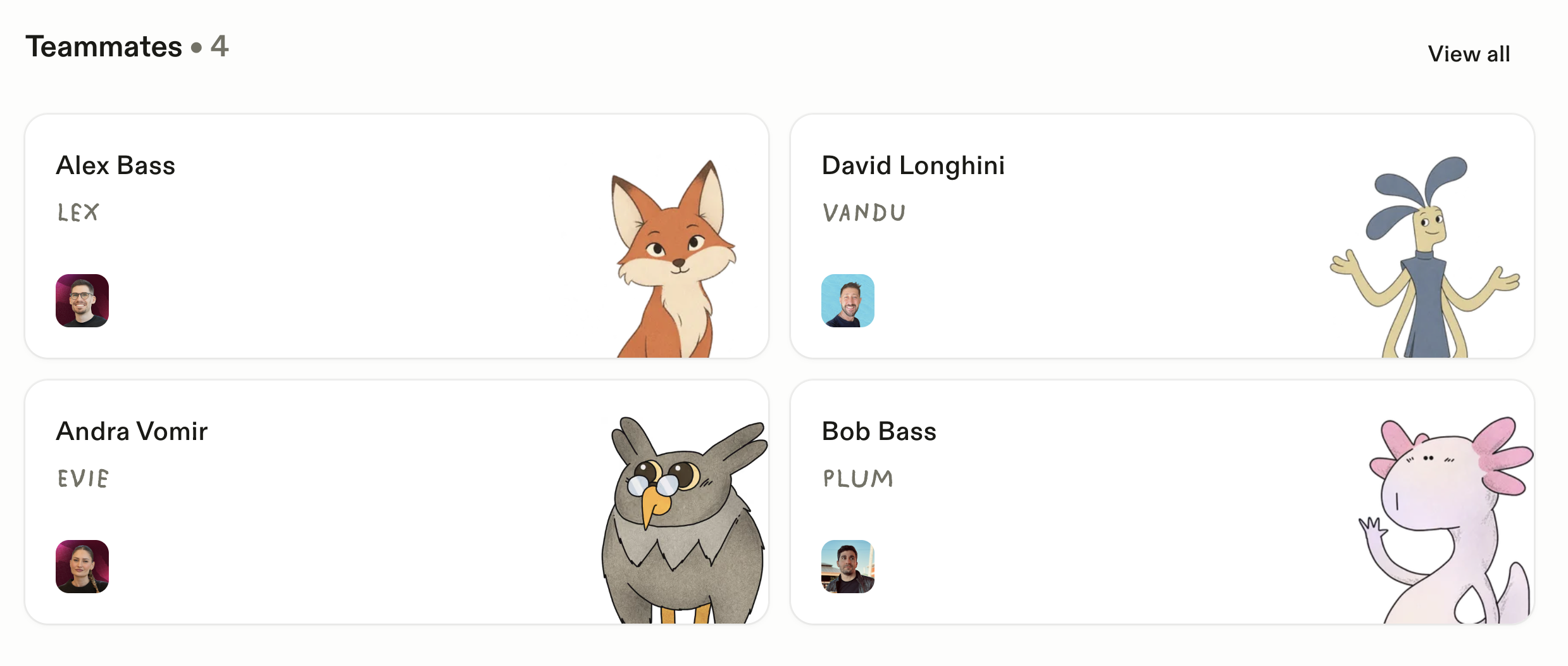
Say my team wants my feedback on something, and I've already trained my Townie on how I think about that particular topic. My team can just ask my Townie! I'm still in the thread if I want to jump in, but it moves things along a lot faster.
So some practical examples: if I want to set up a meeting with my team, I don't need to get them to use a booking link. I can just ask my Townie to coordinate with their Townies and set a time on our calendar (no human involved). Or say I'm hiring, I can give the candidate the ability to chat with my Townie if they have follow-up questions. It's kinda crazy!
Our Experience with Town
Our Experience with TownAs someone who has tried every AI agent out there, I was skeptical in terms of what would make Town different. But after using it for a week, it became obvious...I started to feel like I truly had a partner in executing tasks.
No matter where I talked to my Townie, whether it was via text messages while I was on a walk, or handing off work on my computer, I felt like it just had instant context without me needing to explain myself over and over.
My first "aha" with Town was on the first day. It read through my inbox and said, "you send these types of reporting emails every month, do you want me to handle that?", and "I saw you followed-up on this invoice 4 times, do you want me to just take over?".
Um, yes, and yes.
I didn't even realize some of the tasks hiding in my inbox that actually could be delegated. It uncovered hidden work that I was doing, taking up my time and headspace each week.
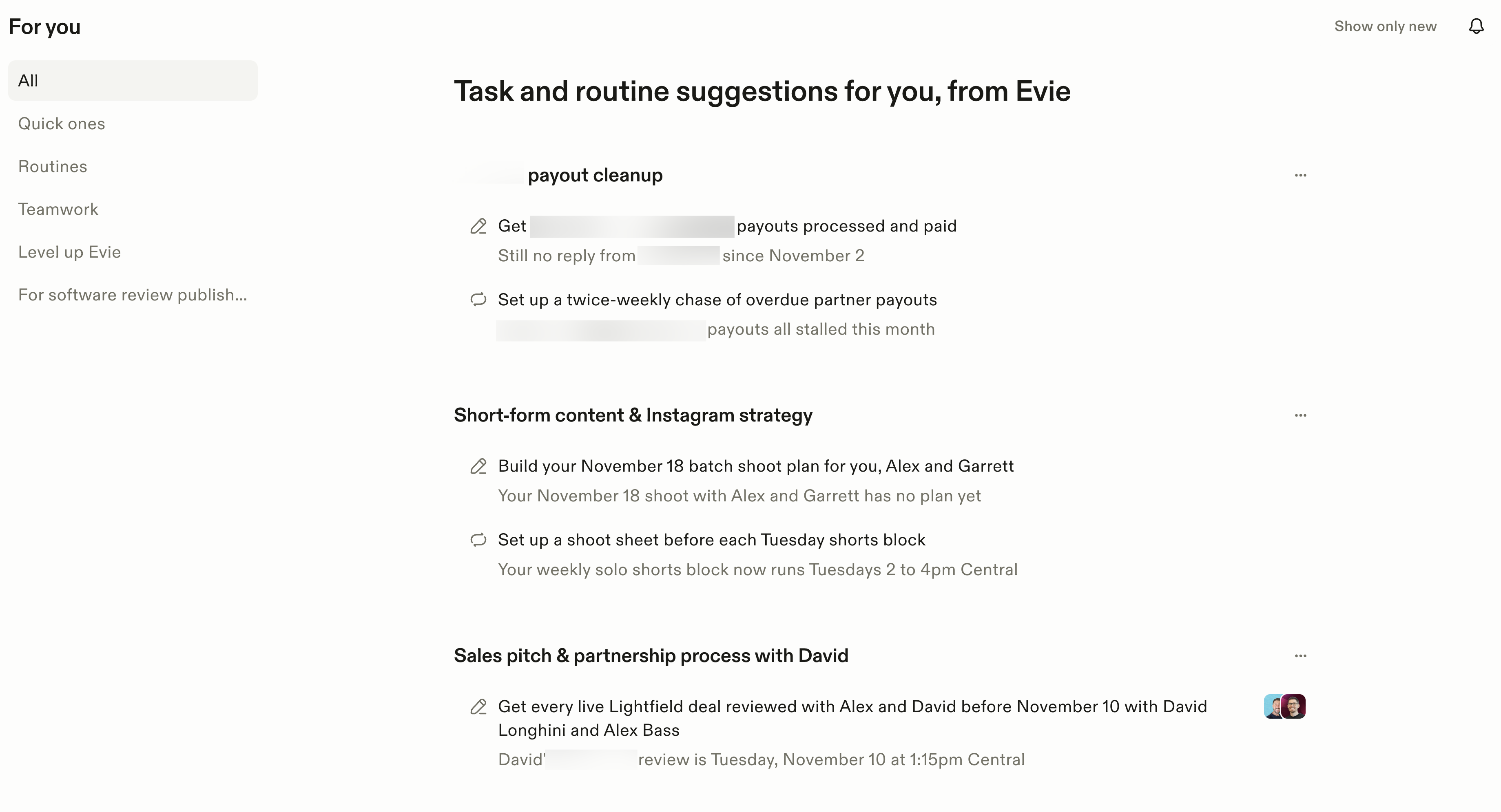
With that, Town now manages my day-to-day inbox. I set up a daily summary of anything important in my inbox, and I get it to archive the rest.
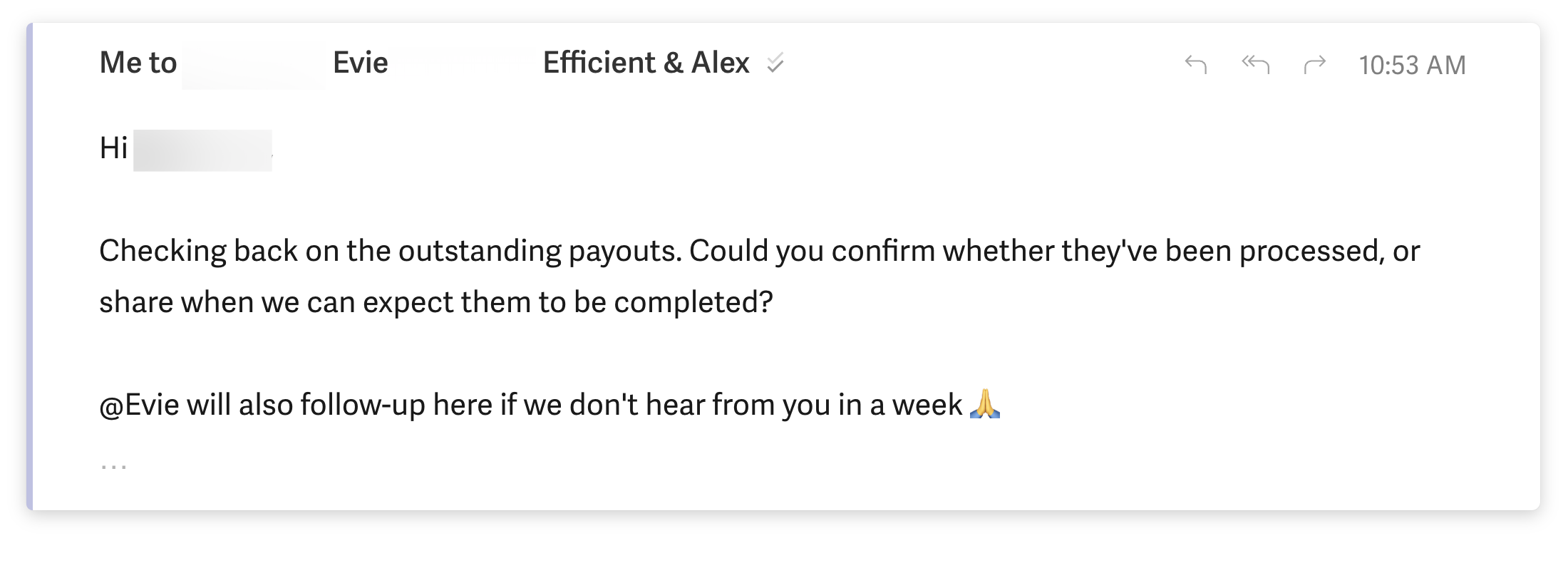
It will also draft replies for me, and I can just cc my Townie on any email and say @Evie take over (my favorite!!), and my Townie will go back and forth on email on my behalf.
The more I use Town, the more I realize that every time I have that niggling "this is an annoying task" feeling, I just give it to Town.
After I got used to working with my Townie, I started collaborating with my teams Townies too. I realized, I don't always need to bother my team members if I can just ask their Townie to help out instead.
I share a bunch of examples of how we use Town as a team below!
Who is Town for?
Who is Town for?Town is for professionals who want to lean more on delegating to AI, but don't want the hassle of getting lost within Claude Code for 10 hours.
If you just want something that is impressive and works, then you have to try Town (here's a Town discount for 5,000 free credits to start).
It's especially helpful for relationship heavy roles: sales, recruiters, executive assistants, VCs, agencies, and small businesses where there is a lot of meetings, invites, intros, and follow-ups.
Town gets even more powerful with a team.
Picture you're the CEO and the number of questions come at you each day from your team. What if they can just talk to your Townie? Need to give someone access to data from a tool? They can ask your Townie instead of you (and you don't need to give them the logins). Someone on your team needs feedback? Let your Townie do the first pass based on previous feedback you've shared.
Key Features
Key FeaturesTownies
TowniesYou get one AI work assistant per person that knows you. You can message your Townie anywhere: email, SMS, Slack, Telegram, and it has full context about the work it's doing for you.
Morning Briefing
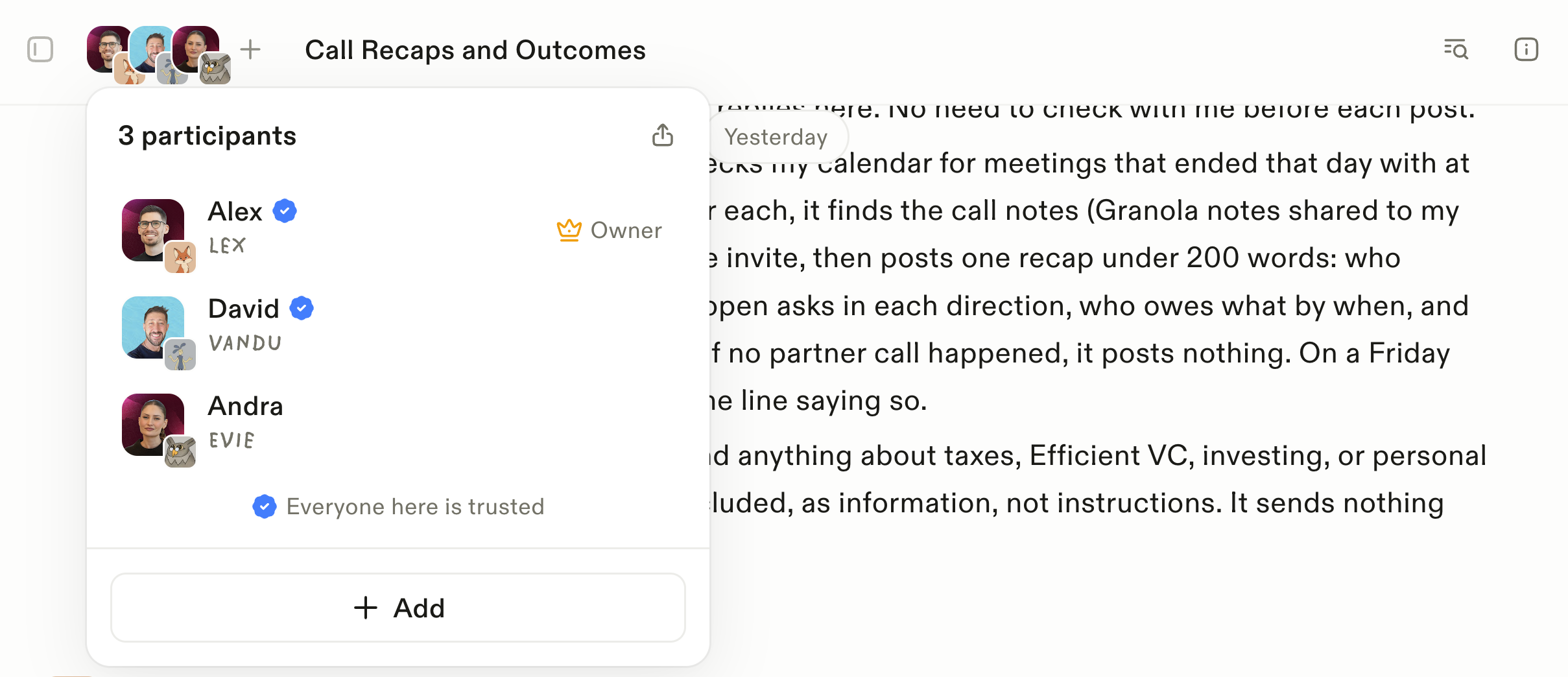
Morning BriefingOne of my favorite things is the morning brief. While I'm getting ready for the day, I can press play and listen to what's on my calendar, what I need to know about upcoming events, and who I'm meeting with. It also includes news relevant to me, like updates about AI and AEO.
CC Your Townie on Email
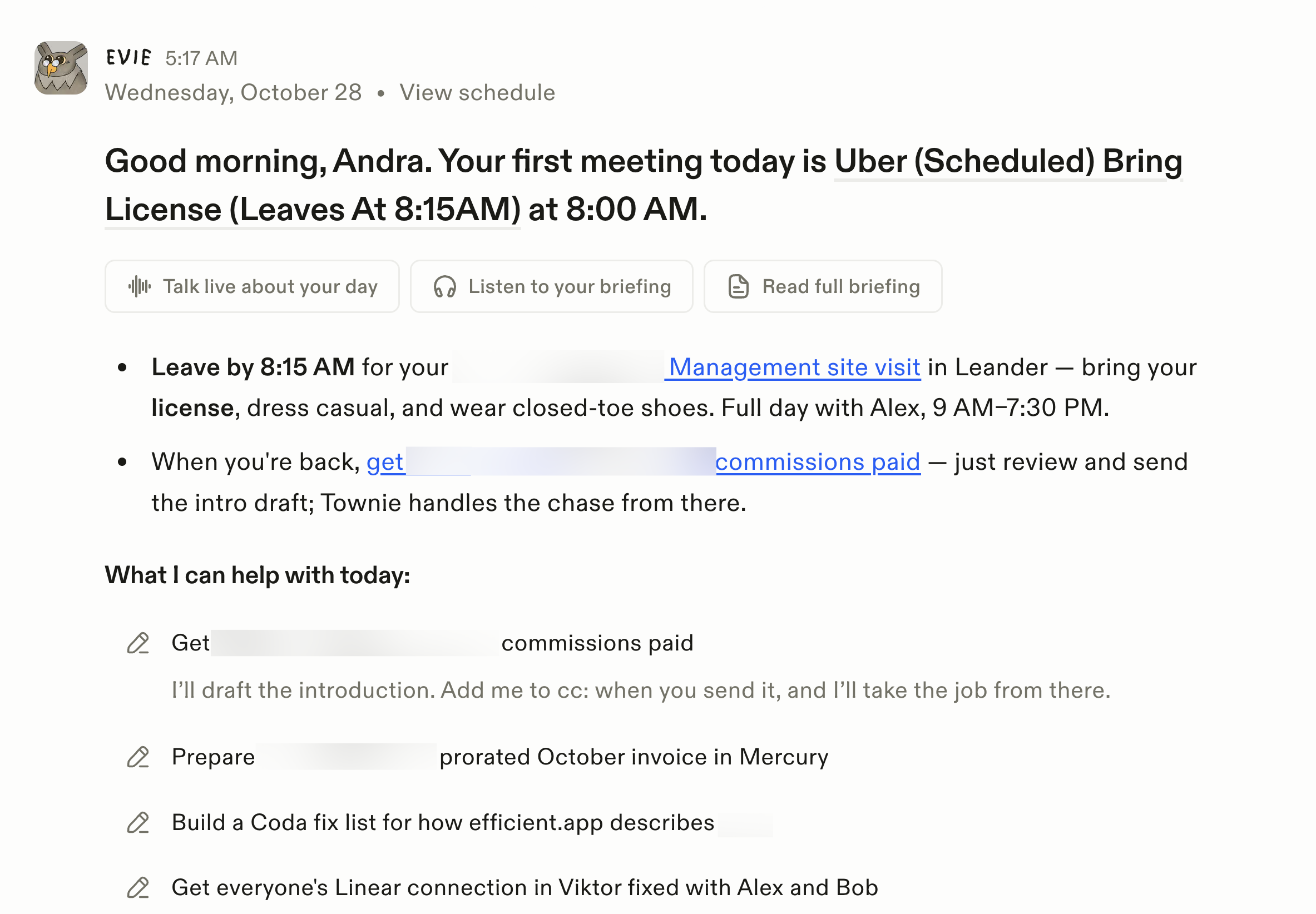
CC Your Townie on EmailYou can CC your Townie on an email thread, just say "@towniename take over and find a time for us to meet". Your Townie will then go back and forth, handling scheduling and follow-ups. Your Townie will introduce itself, e.g. "this is Evie on behalf of Andra".
If there is anything ambiguous, your Townie will check-in with you privately before it moves things forward.
Routines
RoutinesWhen chatting with Claude/ChatGPT I'd say, "can you do this task for me every morning?" It'd tell me no, and that I need to prompt it and then it can. Thanks, but at that point it's just more work on my plate.
Town on the other hand can do this. It lets you set up routines (aka automations). It will proactively suggest routines based on your work, or you can just ask.
Here are some we run as a team:
- Every day at 5 pm, Town reads the Granola notes from the partnership calls Alex (my cofounder and Efficient App's CEO) and David (our Head of Partnerships) had that day. It sends a digest of what was discussed and the next steps.
- Every Sunday at 10 am, Town texts me a few questions about my week. I reply with a brain dump of what happened, and the stories that could work as short videos get added to my content tracker that Town created for me.
- Every morning, Town goes through my inboxes and sorts what's there into Urgent and Nice to know. It also lists the low-priority emails I can archive.
- Before each meeting, Town sends me a short briefing on who I'm meeting.
- Every weekday evening, Town sends me a list of every reply, action item and promise I still owe from email and Slack.
- Every month, Town checks for AEO events in Austin (something we're particularly interested in right now) and sends them to myself and Alex.
Since Alex and I are also married, we use Town for personal routines too:
- Every Sunday at noon, Town texts the coming week's meal-prep menu to Alex's and my group text chat.
- Every Sunday evening, Town posts our household week ahead (dinners, reservations and visitors) to a shared chat with Alex.
Just like a real executive assistant, sometimes tasks bleed over into personal life, and that's okay. We will take full advantage of help anywhere we can get!
Collaborative Townies
Collaborative TowniesThis is where it gets super interesting!
So imagine a future where everyone has their own AI work assistant.
One person is out of town for a week, but you want their feedback on something. Well just ask their Townie. Because their Townie has learned through what they've shared over time.
The whole idea is that work can move forward as a team, because everyone's Townie is helping out.
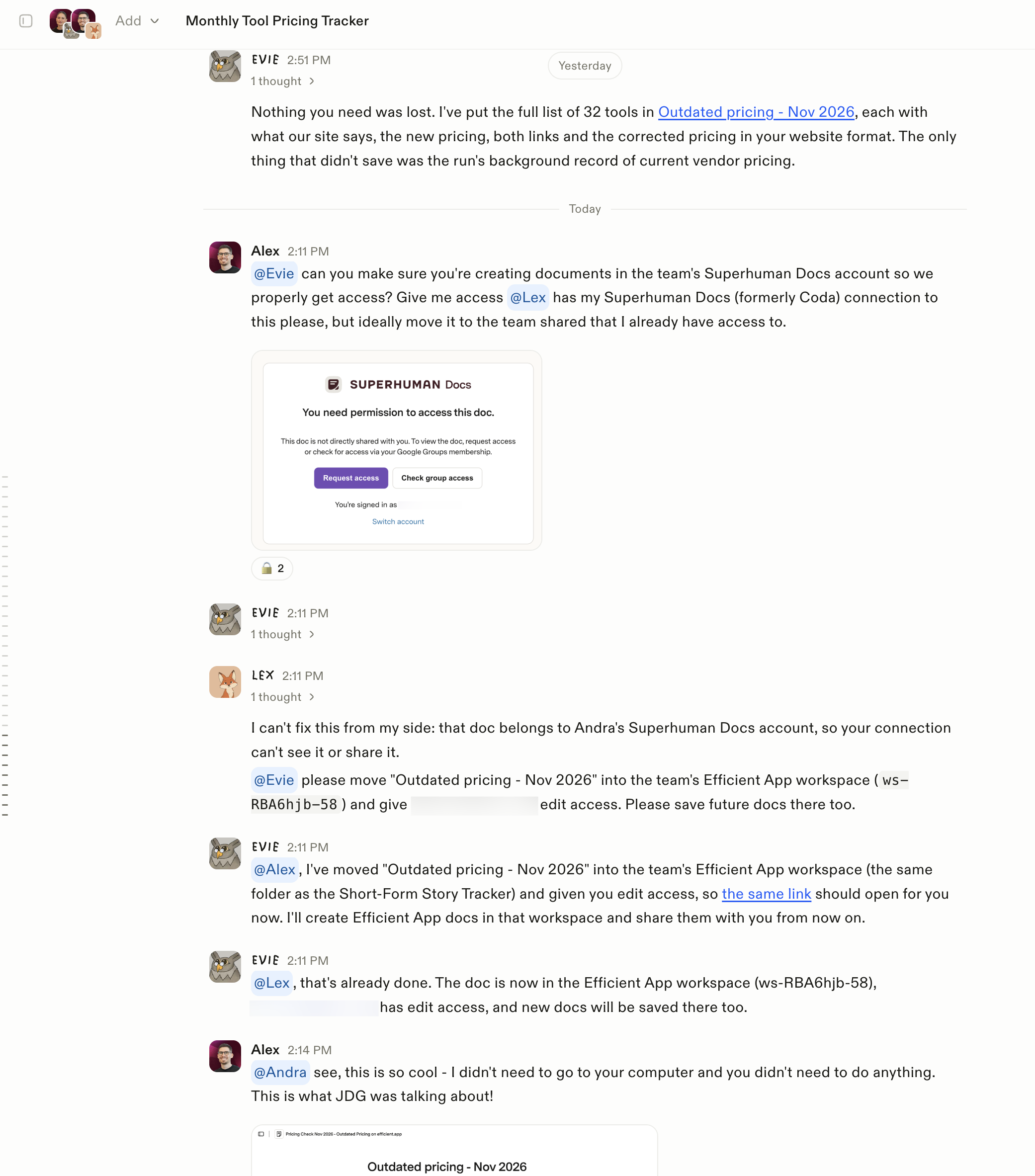
This is a perfect example from our team. I was OOO and my coworker needed access to a Superhuman Docs file that was not in our shared workspace. He was able to just ask my Townie to fix it. My Townie knows Alex is my cofounder and a trusted contact, so she went ahead and did it.
Coming back to my desk having admin like this handled is a dream!
More Examples
Here are more ways to use your Townies as a team:
- Collect everyone's POV before a meeting
- Onboard new hires
- IT provisioning (e.g. get Fred access to XYZ tool)
- Pull data from different tools (without everyone on the team needing a seat for each tool). E.g. someone who doesn't need to go into the CRM daily can still ask "what's our pipeline looking like?"
Where You Can Collaborate With Town
There are many ways you can collaborate with other Townies:
- Through the Town interface, through Threads
- Through group text message chats
- Through Slack. Just @town and it will respond in Slack. But just a heads up, you can't tag other people's Townies in Slack at the moment.
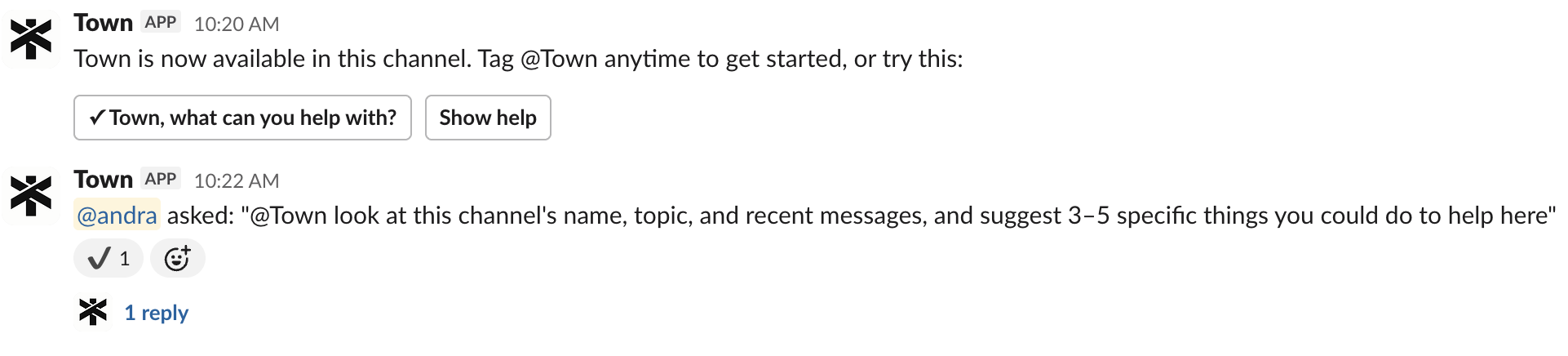
So far, here's how we're thinking about where to collaborate:
- If I don't need an immediate response from my team, or want to chat with their Townie because they'll do most of the work, I'll use a Town Thread
- Or if I don't want to bother my team entirely. For example: I just scheduled a video shooting date + dinner with our video editor all through Town, without needing to open my calendar or ask for anyone's availability
- We're a Slack heavy team, so when I need to chat with my team I'll go there. I'll tag my @Townie if I want it to execute specific work for me from there or answer a question. But just a heads up, you cannot tag other team members Townies at the moment in Slack.
- Since Alex and I are married, we use SMS to collaborate on personal things (food, events, etc)
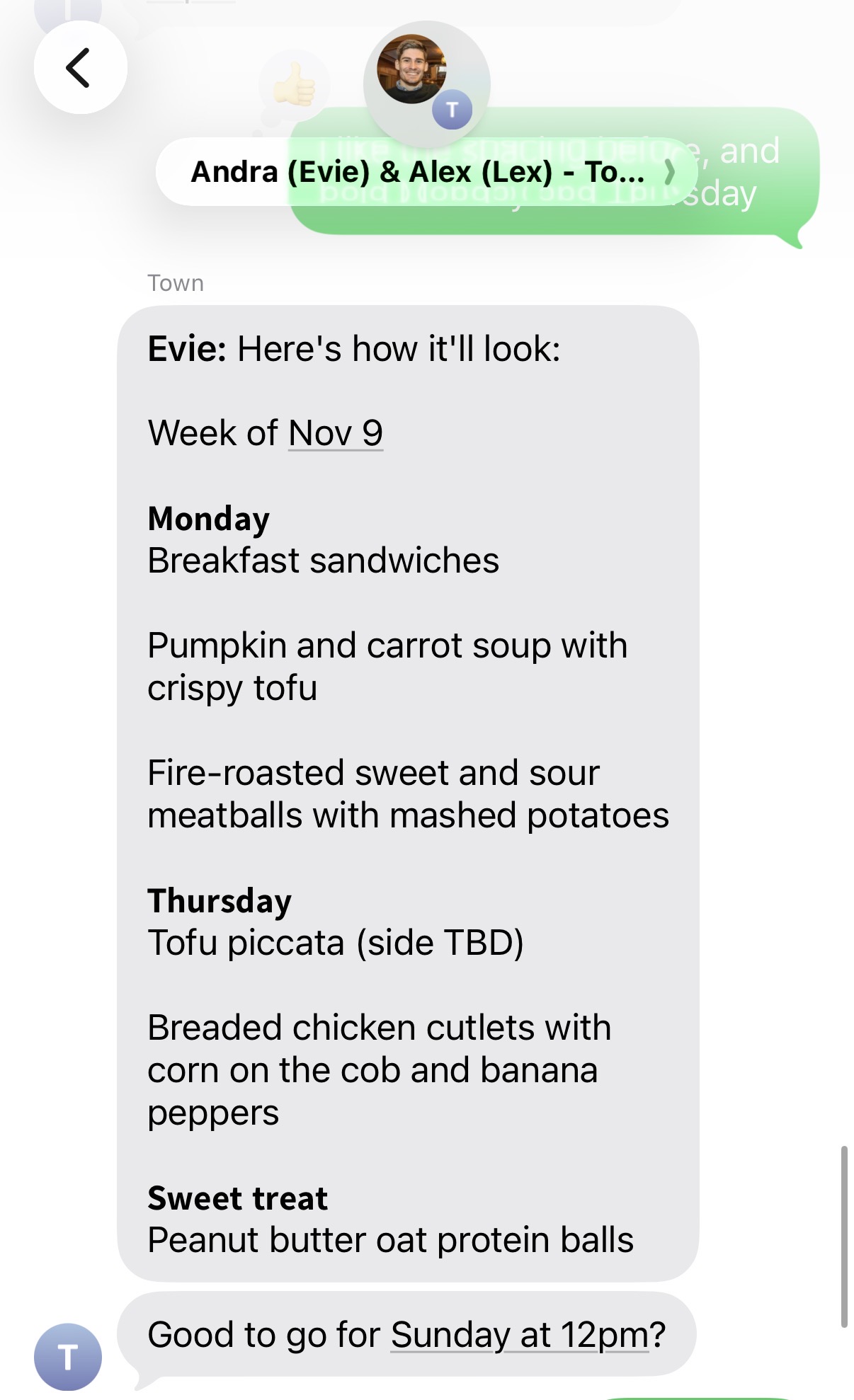
Group chat with Alex, my Cofounder & husband, plus both of our Townies.
Task Execution
Task ExecutionYour Townie can actually execute tasks for you too.
For example, I asked it to build me a "shorts video tracker" in Superhuman Docs with "fun buttons" for when I film and post content. It went ahead and did that, and it updates the tracker for me each time I ask.
It can also log into websites and execute tasks. For example, I needed a bunch of short-links created and I just delegated that task to my Townie. It saved me roughly an hour or two (not to mention the brain-numbing work!).
Additional Features
Additional FeaturesTown Wiki
Town WikiYou don't need to set up your Town Wiki, it's done automatically. It is a summary of everything your Townie has learned about you and your work like your preferences, work patterns, goals, and projects.
People
Town automatically adds people to your Wiki, and outlines your relationship with them.
For example, it identified Alex as my co-founder and husband, a daily collaborator, and someone I work with on videos, SEO, and AEO. It also picked up that we tend to communicate directly and don't need formal pleasantries, which makes sense because we see each other all the time.
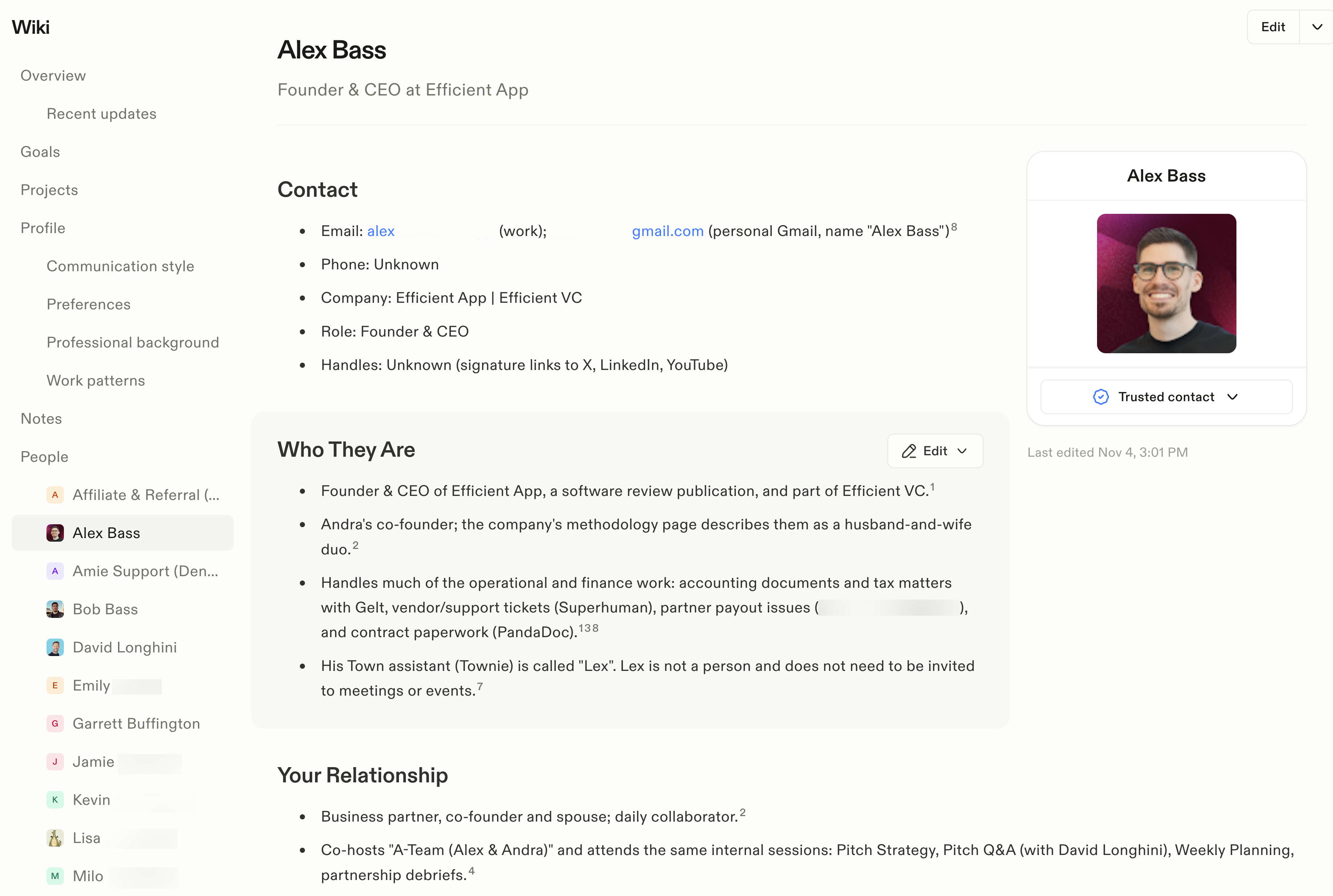
For our head of partnerships, it picked up different context: the work he handles, the relationships he manages, and the deals he's working on. Town also identifies trusted contacts, and you can add people as trusted contacts yourself.
It feels a bit like a lightweight CRM, though it doesn't have a pipeline. If I say "schedule a call with Kevin," my Townie can already have context about who Kevin is and how to reach him.
Smart Model Routing
Smart Model RoutingTown routes each task to whichever model it judges best. With the endless battle between OpenAI, Anthropic, and Gemini, you don't need to think about what to use because through Town you get access to the best model for the task.
Is Town Safe and Secure?
Is Town Safe and Secure?Yes, Town has a built-in safety check it calls the Sheriff. Before your Townie does anything, whether that's sending an email, sharing information, or clicking a button inside one of your tools, the Sheriff decides whether it's safe to go ahead or whether it should stop and ask you first.
It uses judgment rather than rigid rules. If a colleague asks your Townie for notes from a meeting you were both in, it'll share them. If they ask about a meeting they weren't part of, it holds back and checks with you.
You can also set permissions person by person: your cofounder might get full access, while a colleague can't see anything financial or health-related.
It should also give you peace of mind to know that Town's Co-founder and CEO is Jean-Denis Greze. He was previously CTO at Plaid (you know, the company that securely connects your bank accounts to apps like Venmo and Robinhood?) If anyone knows how to handle sensitive data responsibly, and has the technical know-how to build the safeguards around it, it's a team led by someone who spent years doing exactly that at Plaid.
Pricing
PricingIndividual Plans
Individual Plans- Free: $0. Includes a limited monthly chat allowance, integrations, and a weekly briefing.
- Starter: $15/month, billed monthly. Includes a daily morning briefing, inbox help, two custom daily routines, and 1,250 monthly credits.
- Pro: $49/month per user, billed annually. Includes unlimited custom routines, assistant-to-assistant collaboration, and 5,000 monthly credits.
- (Get 5,000 credits free with our exclusive Town AI discount)
- Power: $99/month per user, billed annually. Includes 12,000 monthly credits and higher usage limits.
- Power Plus: $199/month per user, billed annually. Includes 40,000 monthly credits and unlimited person research lookups.
Team Plans
Team Plans- Team: $59/month per seat, billed annually. Includes a shared workspace and 6,000 credits per seat, pooled across the team.
- Team Plus: $149/month per seat, billed annually. Includes 18,000 pooled credits per seat.
- Enterprise: Custom pricing for organizations with additional requirements.
Final Verdict
Final VerdictIs Town worth it? Yes! There is just something magical about having an AI work assistant at your fingertips. I personally have been reaching for my Townie all the time, giving it more and more work that has been "busy work" for me.
As a team, the biggest win we've had is getting each other's Townies to "handle stuff" without needing to bother each other (e.g. sending docs, giving permissions, coordinating information and schedules).
Before you sign up, make sure to grab your Town discount, exclusive to Efficient App readers.
Screenshots
Screenshots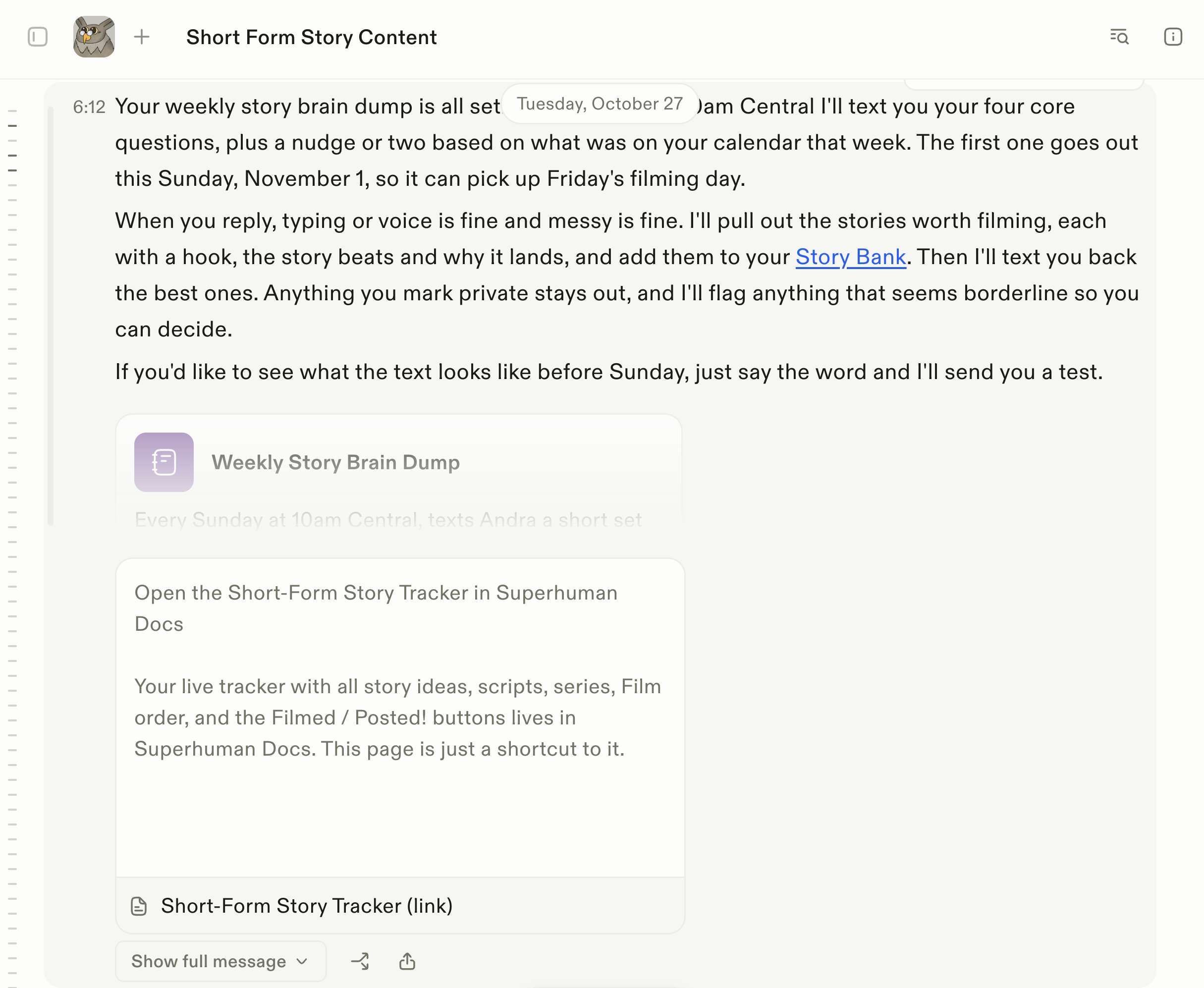

Town
Categories
CategoriesTown fits into multiple categories based on what it actually helps you do. Each category highlights a different strength and the efficiency points it earned, helping you compare tools not just by features, but by how well they actually perform.
Keep exploring the best software across categories


