
Review Summary
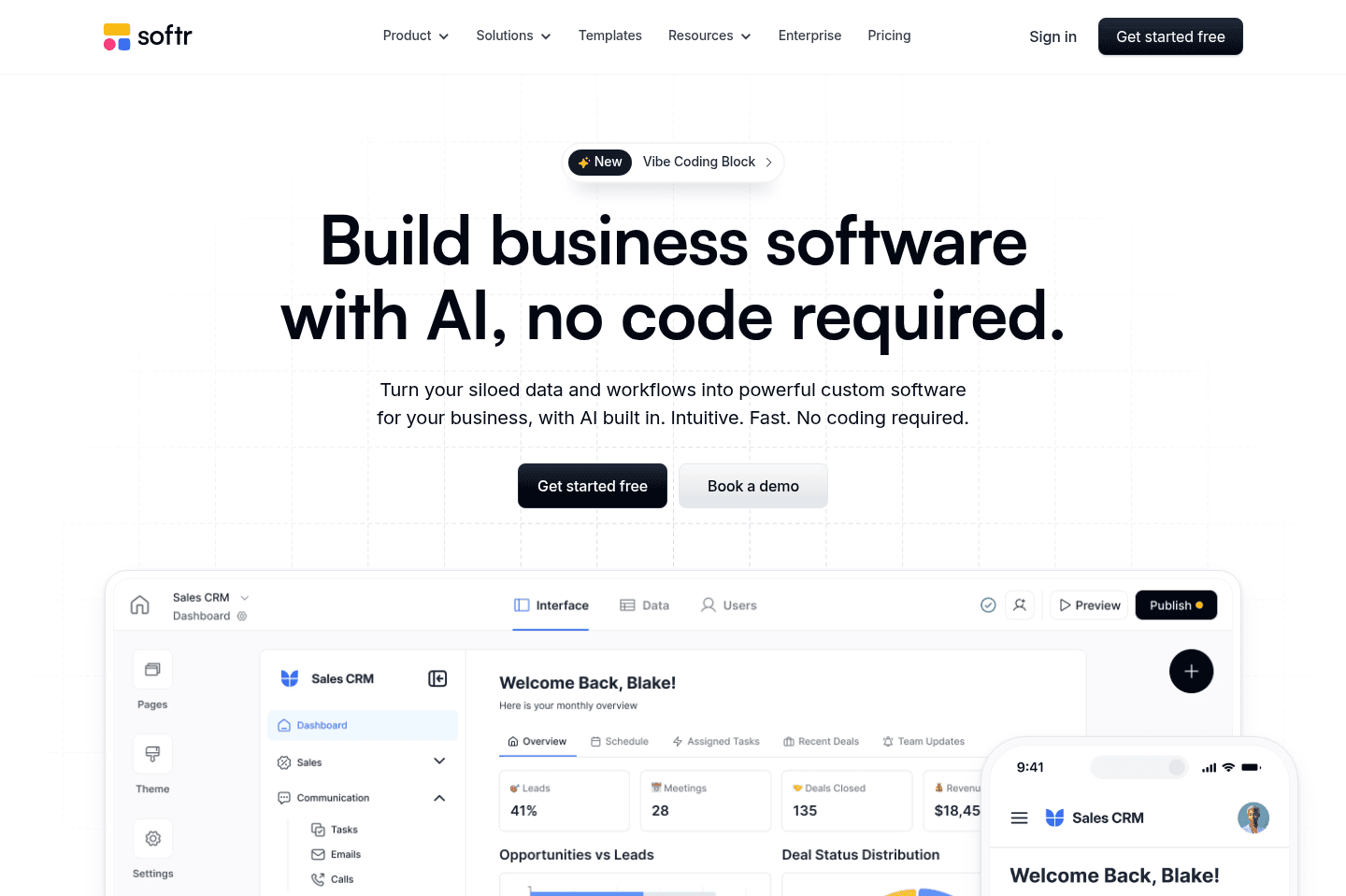
Review SummarySoftr works great for those who are looking to build a highly customizable client portal, or internal tool, all without coding experience. It's substantially easier to get an MVP business app up and running when compared to other no-code builders like Bubble, Coda, and Zapier.
Softr Alternatives
Softr AlternativesNot sure if Softr is the right fit for you? Check out these alternatives:
 Superhuman DocsRecommended
Best for lightweight no-code tools
Best for lightweight no-code tools
What is Softr?
What is Softr?Softr is a no-code builder which allows you to turn your structured databases (e.g. Airtable, Notion, Google Sheets, and more) into actual useable business apps. Think client portals and internal tooling through their full-fledged user authentication functionality, alongside a user-friendly drag-and-drop website builder experience.
And while they have a built-in database experience as well, its main differentiator is their seamless integration with existing external databases where you may already be storing structured data, providing a level of database control and modularity that's less common in the no-code space.
Who is Softr for?
Who is Softr for?If you're currently sending clients spreadsheets or working with your team in endless Notion docs and chaotic databases within, fighting with permissions, and feeling like you just wish you had more control over the user-experience, that pain-point is exactly what Softr is aiming to solve.
You can build a business app that is branded to look like you, and is easier to use than many of the other no-code builders out there like Bubble, Zapier, and Coda.
Who Softr Is Not For
Who Softr Is Not ForIf your app needs public SEO pages, open signups, or thousands of users, Softr's per‑user pricing and large-scale performance constraints make it not the most ideal fit.
If you're quite technical, need deep logic, custom workflows, or complex branching, you'll see the limitations of Softr. So if you're building a product and planning to bring on free users, or scale to hundreds of thousands of users, Softr can get pretty expensive as the MVP platform.
Key Features
Key FeaturesClient Portals
Client PortalsSoftr's strongest feature in our opinion is how easy they allow for spinning up a client portal. As to do this well, you need secure logins, role-based access, and a sync engine you can trust will actually sync when access is given or revoked.
It allows the client to not only view what your working on, but you can even give them edit access to specific areas of your database, allowing for you to keep your own internal software and processes, but actual client collaboration baked in.
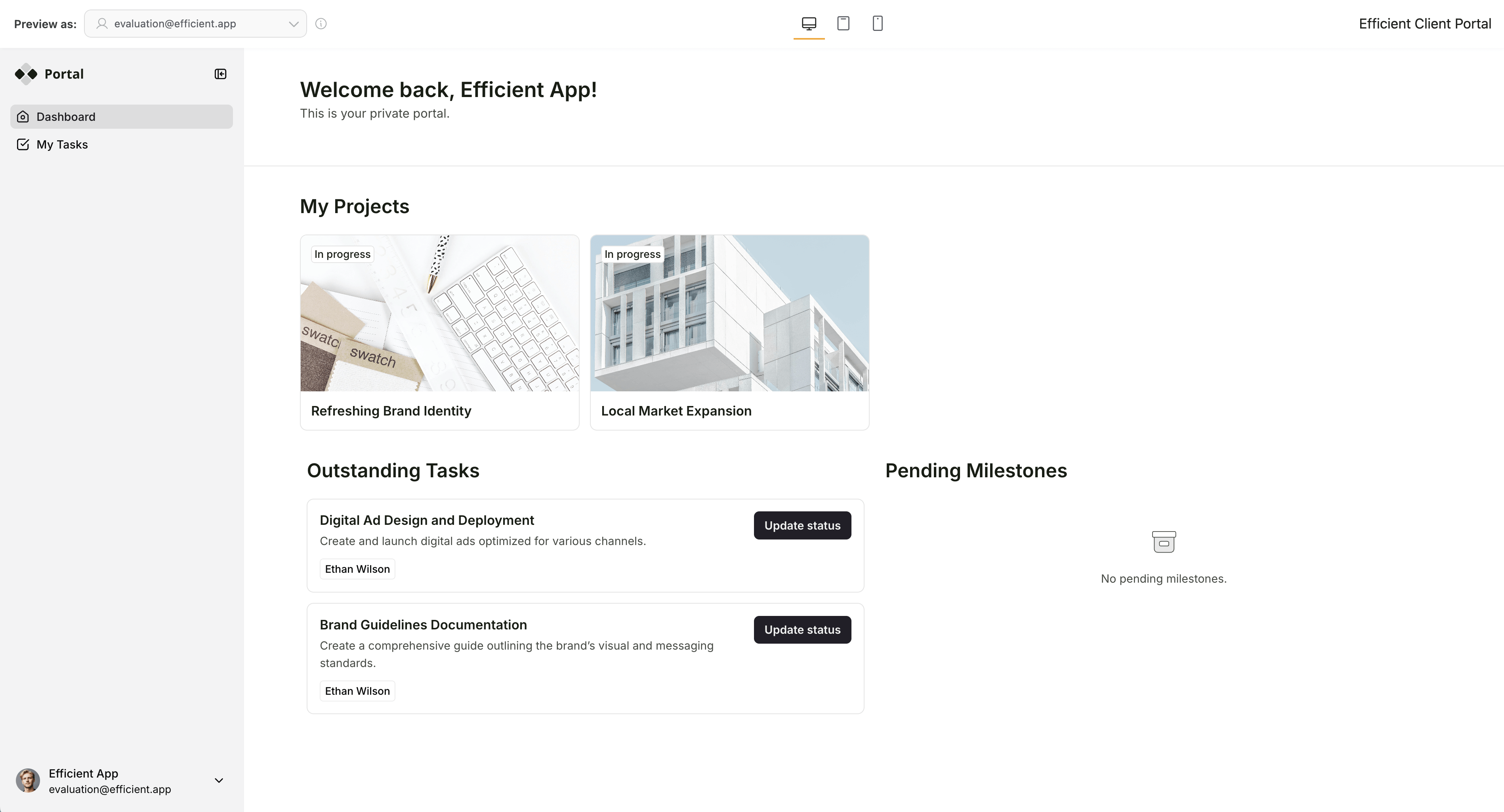
Softr client portal
So if you're already using an internal database infrastructure like Airtable, you can allow clients to access only what they need to collaborate. Now this is something incredibly difficult to get right (but Softr actually initially started as a solution for exactly this painpoint), other platforms either giving tons of sync errors, or just not having the capabilities.
Internal Tools
Internal ToolsMost teams end up just using internal Google Sheets or Airtable to share important data across the team. Softr lets you use those same tools, but adds a smart layer atop, allowing you to create dashboards and edit/update data without giving everyone direct database access.
Ease of Use
Ease of UseSoftr is hands-down one of the easiest no-code tools to learn. Their pre-built templates help you launch quickly with tons of different options to select from, and a no-code website builder that allows you to easily modify the business app.
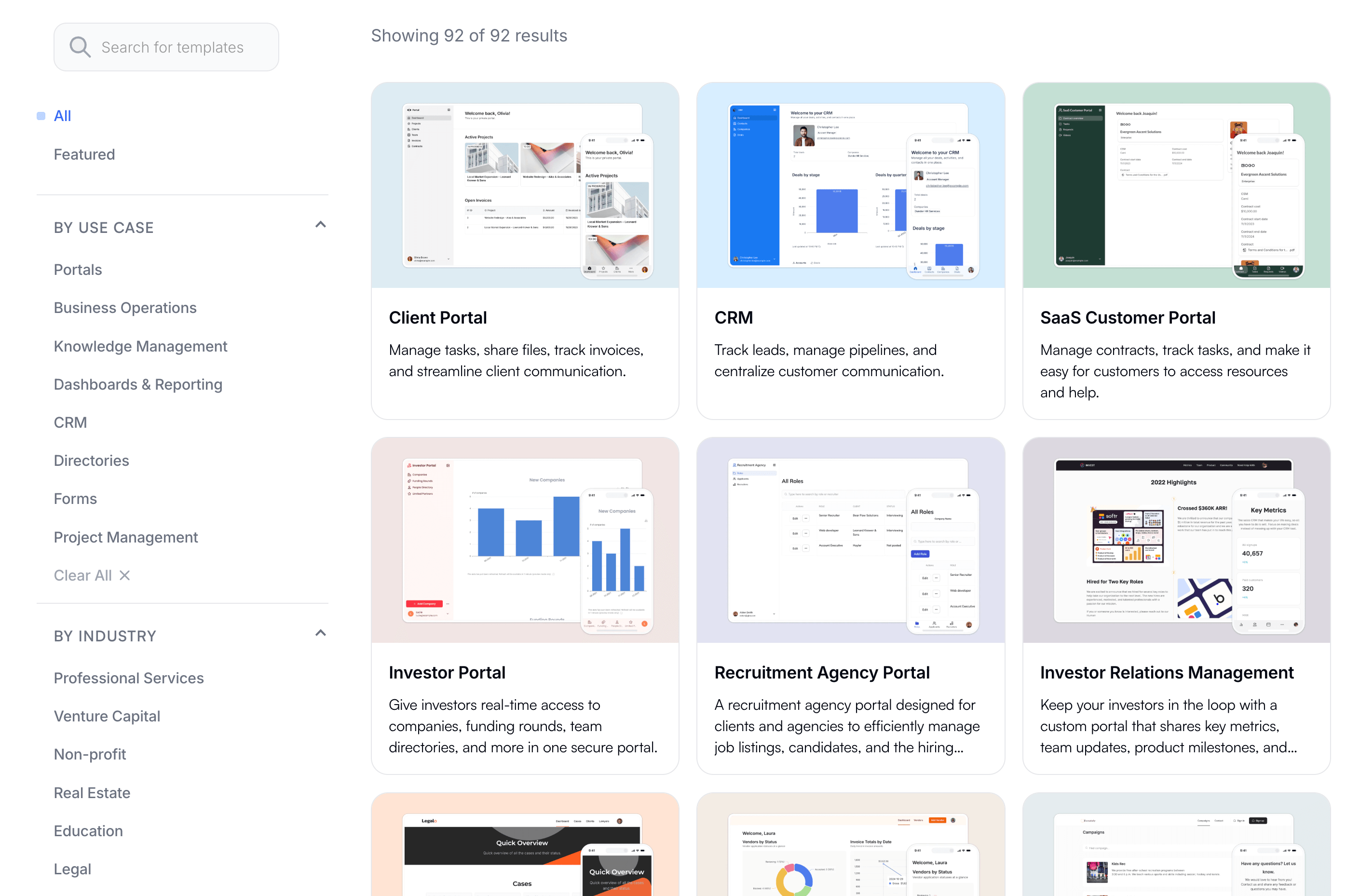
Softr templates marketplace
2-Way Sync Integrations
2-Way Sync IntegrationsMany no-code platforms integrate with a myriad of external software, but Softr actually has plug-and-play integrations with the most popular database tools on the market, like Airtable, Notion, and even CRMs like Monday.
The bi-directional sync that Softr does is quite unique and standout. It's not something you're going to build custom with something like Zapier or n8n, and built-for solutions on the market like Whalesync are great, but add an extra layer of costs for just the syncing layer alone.
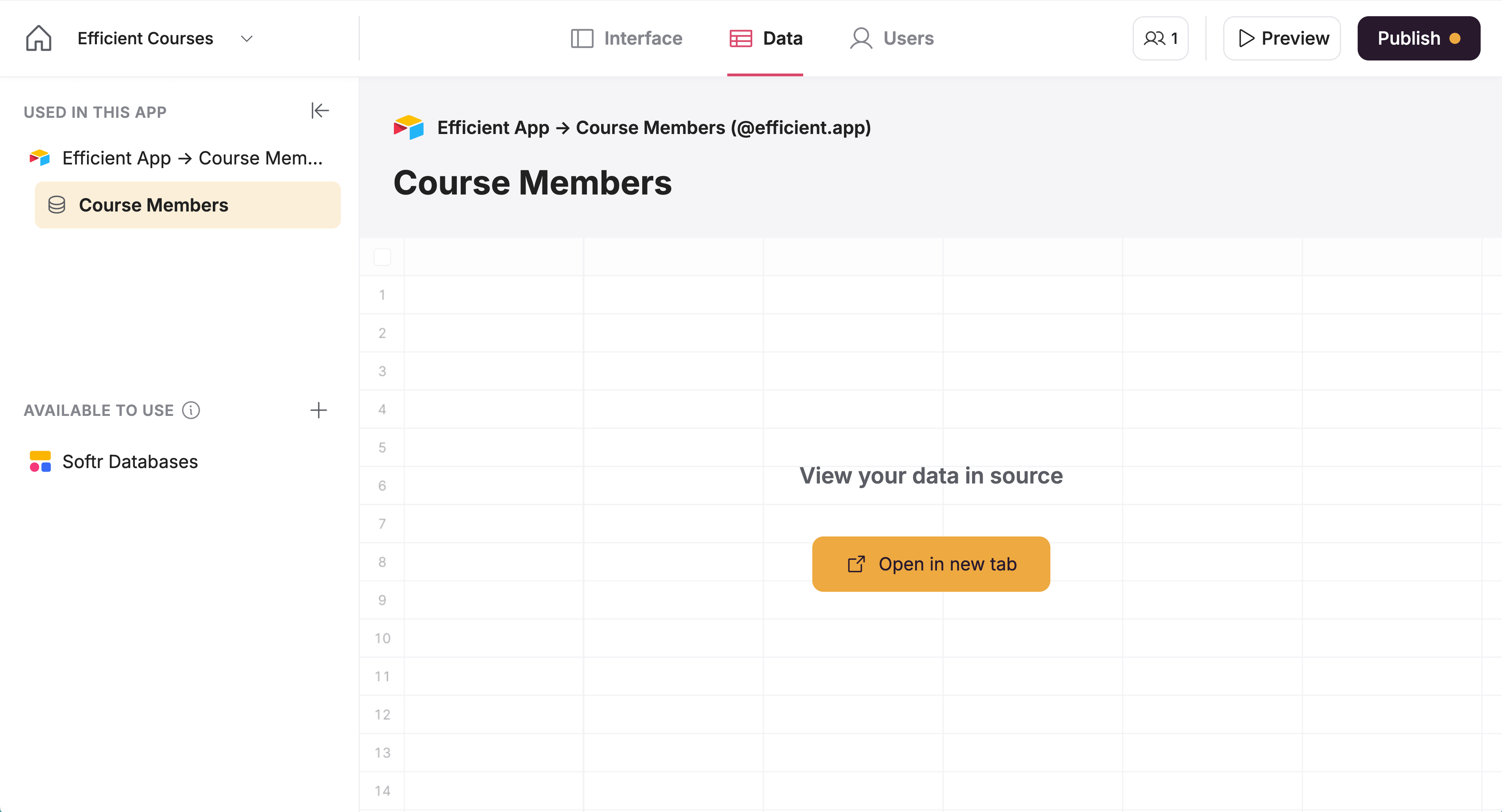
2-way sync between Softr and Airtable
Additional Features
Additional FeaturesUser Management & Security
User Management & SecuritySoftr does an exceptional job at allowing you to manage users, have them sign in via single sign-on (SSO), and easily reset passwords, all baked in. Something that other no-code platforms require you to build out yourself, or handle internally (without the ability to whitelabel it in the way that you can with Softr).
Data & Content Visibility Permissions
Data & Content Visibility PermissionsSoftr allows you to get incredibly granular with what sections and content shows on which pages depending on the individual user an the user group they're a part of. This is something that is incredibly difficult to get right, and even tools like Notion struggle with this as you start pulling in more data and team members/clients.
Pricing
PricingAnnual Billing:
- Free — 10 app users included
- Basic — 20 app users included
- Professional — 100 app users included
- Additional users: +$10/month for each extra pack of 10 users (up to 250 users)
- Business — 2,500 app users included
- For more than 2,500 users, you'd need Enterprise
- Enterprise — Custom user limits, contact sales
Monthly Billing (per month):
- Free — 10 app users included
- Basic — 20 app users included
- Professional — 100 app users included
- Additional users: +$10/month per extra 10 users (up to max 250 users)
- Business — 2,500 app users included
- For more than 2,500 users, Enterprise is required
- Enterprise — Custom user limits, contact sales
Because pricing scales per user, it works best when you know exactly who will login (clients, team members). If you’re running a free community with hundreds of sign-ups, pricing will skyrocket, so we wouldn't recommend it for this use-case.
Final Verdict
Final VerdictIs Softr worth it? Softr is worth it if you use it for the right job. If you want to build client portals or internal tools, Softr is one of the easiest and cleanest no-code platforms you'll find. It's perfect for agencies, consultants, and small teams looking to share data via business apps either internally with team members or externally with clients.
That said, if you plan on pulling in thousands of free users (e.g. courses, communities, public-facing apps with free tier), just be mindful that it's not trying to be that. In those cases, something like Coda, Bubble, or even a dedicated membership/course platform would make more sense.
Categories
CategoriesSoftr fits into multiple categories based on what it actually helps you do. Each category highlights a different strength and the efficiency points it earned, helping you compare tools not just by features, but by how well they actually perform.
Keep exploring the best software across categories, or explore Softr alternatives
FAQ
FAQDoes Softr Integrate with Airtable?
Does Softr Integrate with Airtable?Softr was initially built to use Airtable as the foundational database, so it works great with Airtable! You can have it easily sync records and users to Softr from Airtable (and vice-versa) using custom logic. They've also recently added their own internal database option if you're not looking to use Airtable as the database side of Softr.